
Screen Capture Software and HDR
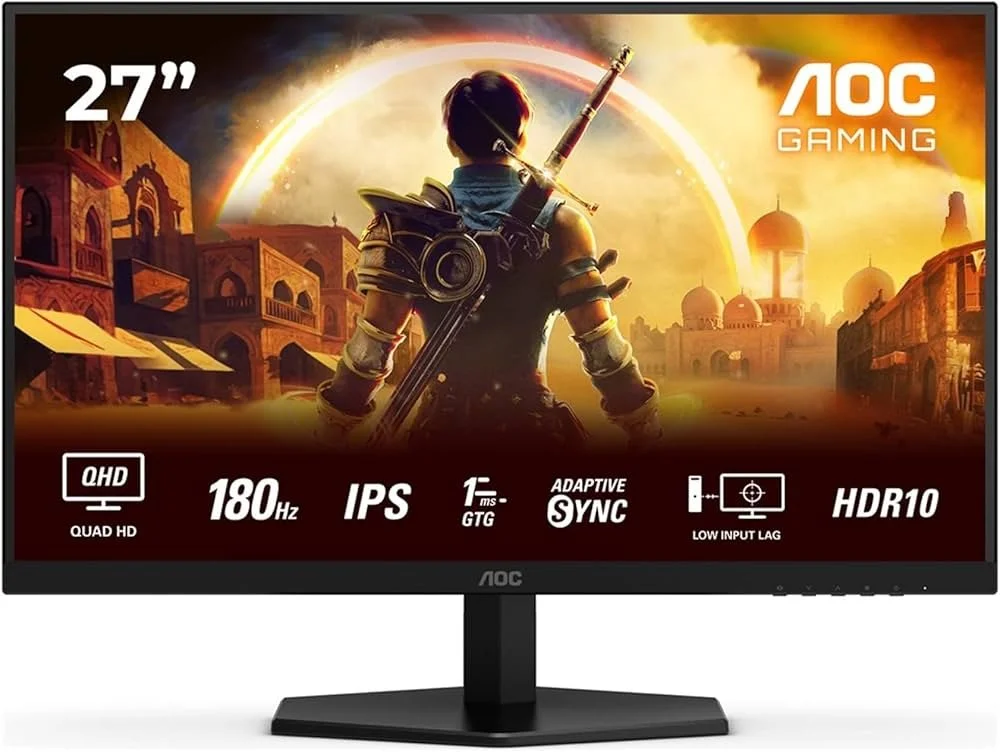
I take a lot of screen captures of video games and Windows apps, usually for blog posts. I use both Bandicam and Windows Snipping Tool to do this and have set up various hotkeys to make the process easy. Of late, the screen captures that I’ve taken have all suffered from washed out colours, regardless what tool I used to take them. I checked to see if both these apps needed to be updated but they are running the latest versions. Hence I was initially stumped as to why this problem had started happening. After some thought, I deduced that the only new elements in my PC hardware were my two new monitors. Both of which support HDR. Google Gemini quickly informed me that this was a known issue and taking screen captures from an HDR enabled device resulted in an excessively bright image that looked over exposed.
I take a lot of screen captures of video games and Windows apps, usually for blog posts. I use both Bandicam and Windows Snipping Tool to do this and have set up various hotkeys to make the process easy. Of late, the screen captures that I’ve taken have all suffered from washed out colours, regardless what tool I used to take them. I checked to see if both these apps needed to be updated but they are running the latest versions. Hence I was initially stumped as to why this problem had started happening. After some thought, I deduced that the only new elements in my PC hardware were my two new monitors. Both of which support HDR. Google Gemini quickly informed me that this was a known issue and taking screen captures from an HDR enabled device resulted in an excessively bright image that looked over exposed.
HDR, or High Dynamic Range, is a technology that improves image and video quality by creating a greater contrast between the brightest and darkest parts of an image. This allows for more realistic pictures with a wider range of colours, deeper blacks and brighter whites, while also preserving detail in both highlights and shadows. It is commonly used in 4K televisions and is supported by streaming services like Netflix and Amazon Prime Video. 4K UHD Blu-ray supports HDR but regular Blu-ray does not, instead using the older Standard Dynamic Range. HDR is also a feature on the latest Smartphones. Furthermore, HDR is common in many contemporary video game titles and as such gaming monitors now support the process. Hence capturing an image from any of these sources is potentially going to run into these issues with regard to colour balance and contrast.
Bandicam screen capture without HDR support
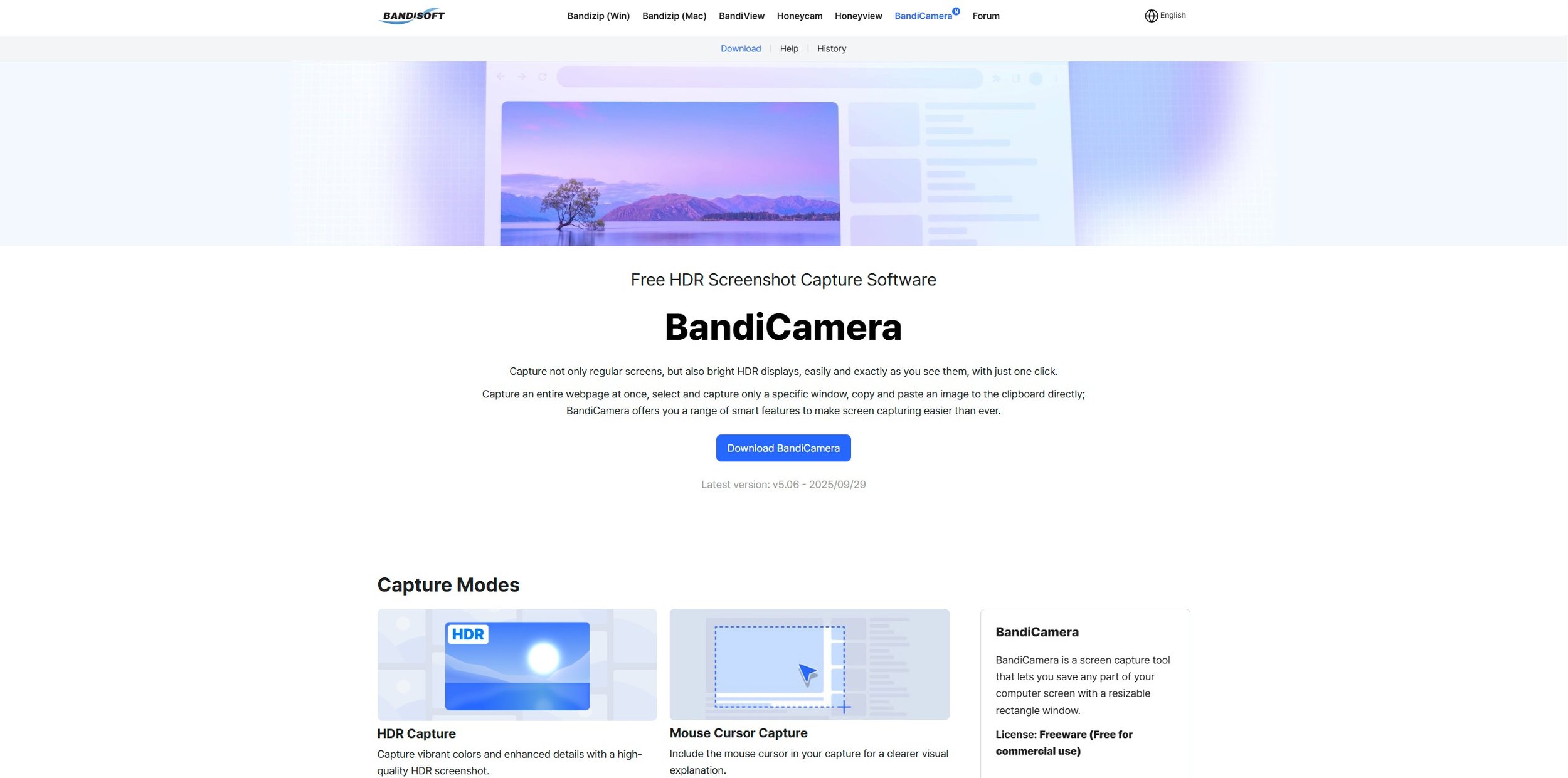
Why does this happen? Mainly because most screen capture software has been designed to capture content in the older Standard Dynamic Range (SDR) format and has been incrementally updated over the years. The fundamental mismatch between the wide brightness and colour range of HDR displays and the technical limitations of traditional capture methods leads to screenshots and recordings that appear dim, washed out, or overexposed. Fortunately, there are specific screen capture apps that have subsequently been designed to support HDR. Bandisoft, the software developer that makes Bandicam, has another product called BandiCamera which is HDR compliant and works in an identical fashion to Bandicam. However, it is purely a screen capture tool producing still images. At present it does not support video capture.
BandiCamera screen capture with HDR support
So far BandiCamera, which is free to download, has proven a good solution to the problem. Screen captures of both video games and websites no longer suffer from the overexposed and washed out look that previously blighted them. Screen captures can be saved in .PNG, .JPG and .AVIF formats. However, BandiCamera lacks some of the features found in Bandicam, which can be configured to take pictures of a specific monitor or any active game executable file. BandiCamera has various hotkeys that can be assigned to specific tasks, one of which allows you to “find capture target”. This works fine when you’re taking a screen capture from a website or YouTube video. However, it is not so good for grabbing a screenshot on the fly while playing a video game. Hopefully future releases will address this and add further functionality.
Update: During the course of researching this issue, I discovered after I had downloaded and installed BandiCamera, that Windows Snipping Tool already has a setting called “HDR screenshot colour corrector”. This can be toggled on or off accordingly. It does a similar job of compensating for HDR’s vivid colour palette, although the results are not quite as comprehensive as BandiCamera. The obvious benefit is that this is a tool that comes with Windows 11.






Software Updates
As part of our increasing dependency upon software, we have also grown accustomed to its associated foibles, especially the negative ones. Today, I upgraded my blog from Squarespace 7.0 to 7.1 and my PC operating system from Windows 10 to 11. I started early in the morning and ensured that all my personal data was backed up. My default expectation was that both processes would go wrong in some way, shape or form. Let’s take a moment to consider this mindset, which is born out of experience. It is now taken as read that whatever you upgrade, be it an app on your phone or a program on your PC, that it’s going to be problematic. It won’t be a seamless transition and you’ll end up having to do some sort of troubleshooting. Despite our lives becoming more dependent on such software, the quality of these products seems to be deteriorating. What a sorry state of affairs.
As part of our increasing dependency upon software, we have also grown accustomed to its associated foibles, especially the negative ones. Today, I upgraded my blog from Squarespace 7.0 to 7.1 and my PC operating system from Windows 10 to 11. I started early in the morning and ensured that all my personal data was backed up. My default expectation was that both processes would go wrong in some way, shape or form. Let’s take a moment to consider this mindset, which is born out of experience. It is now taken as read that whatever you upgrade, be it an app on your phone or a program on your PC, that it’s going to be problematic. It won’t be a seamless transition and you’ll end up having to do some sort of troubleshooting. Despite our lives becoming more dependent on such software, the quality of these products seems to be deteriorating. What a sorry state of affairs.
Setting aside the failures of the tech industry, I was pleasantly surprised by the fact that both upgrades went well, with no major fallout. With regard to Contains Moderate Peril, I am quite happy how individual posts are displayed. I just need to determine whether from now on, I can include images that scale to the width of the page (but display at full size when clicked on), rather than having to set them to a standard resolution. I also have to fix the main blog page, as it is currently showing each post in full, rather than just the first paragraph along with the option to “read more”. However, these are not deal breakers. The site is still functional for both PCs and mobile devices. Similarly, the Windows upgrade went well. I was interested to see that some of the formatting aspects of Windows 10 were carried over and as a result, I have not had to excessively tinker with the visuals of Windows 11.
Oddly, because things appear to have gone relatively smoothly, I cannot help but feel somewhat disconcerted. Mainly because, as mentioned earlier, we are so used to things just not going to plan these days with regard to the software we use. Hence for the next few days, I will remain prepared for some unforeseen technical issues to manifest themselves. If they materialise, so be it. If they do not, then it’s an added bonus. Hopefully, there’s nothing else on my PC that requires a major update, for the immediate future. That being said, I rebooted my phone earlier today and it has obviously installed an Android update. I only spotted this when I received a phone call and was furiously trying to swipe upwards to answer it. Turns out I now have to swipe to the right. Oh the pleasure of software upgrades! The tech companies obviously think that daily life just isn’t interesting enough.
Screen Capture Software
The ability to take a screen capture of a video game that you’re playing, or an open application or browser tab, is just something we take for granted. Windows 10/11 have a built-in tool called Snip & Sketch that is simple to use. Most of the games that I play have a specific hotkey for taking screenshots and a default directory to store them. Similarly, the latest builds of Windows also include the Xbox Game Bar software, which allows you to capture video from any application that you’re running on your PC. You can then edit via Clipchamp which is the successor to the old Windows Movie Maker. I believe the macOS comes with comparable default software. The absence of such apps today would be noticeable. However, there was a time when such things were not considered standard features.
The ability to take a screen capture of a video game that you’re playing, or an open application or browser tab, is just something we take for granted. Windows 10/11 have a built-in tool called Snip & Sketch that is simple to use. Most of the games that I play have a specific hotkey for taking screenshots and a default directory to store them. Similarly, the latest builds of Windows also include the Xbox Game Bar software, which allows you to capture video from any application that you’re running on your PC. You can then edit via Clipchamp which is the successor to the old Windows Movie Maker. I believe the macOS comes with comparable default software. The absence of such apps today would be noticeable. However, there was a time when such things were not considered standard features.
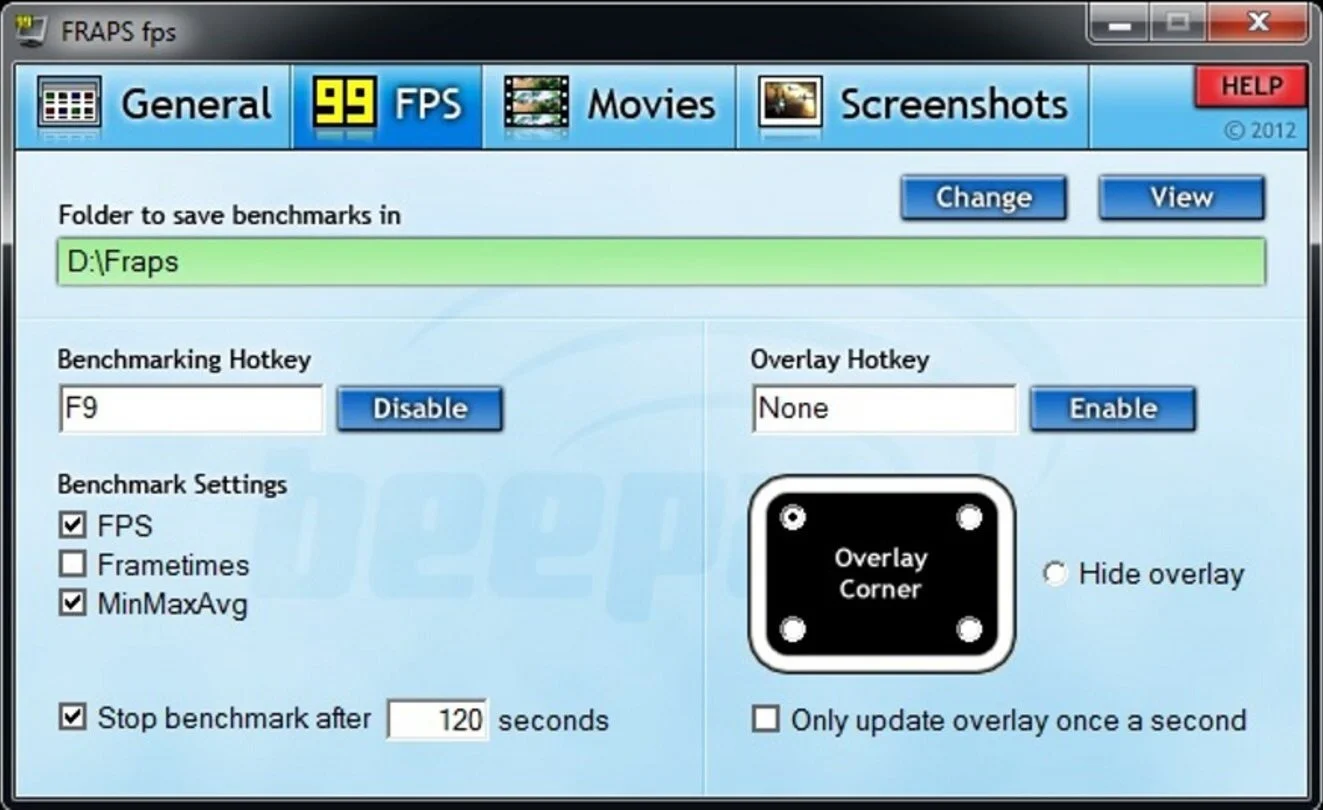
It was around the early 2000s’ while I was creating fan websites based on particular video games, that I became aware of a need for specific screen capture software. The single player games in question had no native screen shot option. So I was using the Print Screen button on my keyboard and then pasting the content into Microsoft Paint. As a process, it broadly worked and indeed still does to a degree but was not exactly convenient. It was about this time I discovered Fraps. Software that could capture both screenshots and as well as providing a benchmarking service. For $40 you could purchase a lifetime subscription, which I duly did. It proved to be a very useful app and was continuously supported and revised up until 2013. I continued using Fraps until 2019 and only stopped because some contemporary games were not compatible, resulting in screenshots of a black screen.
In 2019, after researching a suitable replacement, I decided upon buying Bandicam. I used the free demo version for a while and found that the app was easy to use, especially with regard to switching between two monitors. It also had a more robust video capture facility, taking advantage of more contemporary codecs such as HEVC, affording smaller output files. As recording video footage was both watermarked and restricted to 10 minutes in the demo version, I bought a full license and have been using Bandicam ever since. I use it prodigiously from taking screenshots in-game to taking captures of open web pages and apps. I do the latter for things like bookings or timetables. Information that I can quickly post into a WhatsApp group discussion. The video capture facility is adequate for taking short clips for subreddits etc. It also comes with Bandicut bundles with it, which provides simple editing services.
However, due to many games now shipping with anti-cheat software, even Bandicam can be blocked on occasions from taking screenshots or video capture. This happened to me recently during the first Battlefield 6 Beta test. It was at this point, I started experimenting with the AMD Adrenalin software that accompanies my graphics card. It does so much more than just manage driver updates. It can fine tune game graphics, such as sharpening images and upscaling. It can also take screen and video captures and being integral GPU software, can often bypass anti-cheat related problems. Furthermore, it can screen capture in a variety of image formats and be configured to take a series of pictures, with minimal impact to the running of the game. My only complaint is that the default hotkey combination for a screen capture requires three keys to be pressed.
Recently, I’ve dabbled with posting video game footage to YouTube. This introduced me to such software as OBS and Xsplit Broadcaster. Recording a video game or other activities from your Windows desktop provides me with the option to take screencaptures directly from the video file. This is useful as it affords me a lot more time to be able to select the content that I wish to screencapture. This can be something simple like choosing an appropriate picture for a YouTube thumbnail or taking a series of screenshots to document a specific task or process. It is interesting that in the space of just two decades, the idea of being able to take pictures or video of as you work or play on your PC, has gone from being a specialist requirement, to just an everyday tool. But such is the pace of change in the twenty-first century.
Goodbye Microsoft Office
Humans are creatures of habit. Often we find it easier to stick with the status quo, rather than try something new or make a change. I have used Microsoft Office throughout my career and it is a habit that has persisted into my retirement. However, overtime I have ceased to use much of the functionality Microsoft Office offers. Google Docs adequately caters for my needs. Yet I still subscribe to Microsoft Office, due to my affection for Outlook and the fact that I have 10 email addresses to manage. However, I don’t use half of the functionality that it provides, so it’s a bit like using a sledgehammer to crack a walnut. Furthermore, the monthly subscription for Microsoft Office is increasing due to the inclusion of Copilot AI assistant. So I’ve decided that it is time to say goodbye to Microsoft Office and to find myself a new email client. I shall also say adieu to the email archive I’ve been hoarding since 1997.
Humans are creatures of habit. Often we find it easier to stick with the status quo, rather than try something new or make a change. I have used Microsoft Office throughout my career and it is a habit that has persisted into my retirement. However, overtime I have ceased to use much of the functionality Microsoft Office offers. Google Docs adequately caters for my needs. Yet I still subscribe to Microsoft Office, due to my affection for Outlook and the fact that I have 10 email addresses to manage. However, I don’t use half of the functionality that it provides, so it’s a bit like using a sledgehammer to crack a walnut. Furthermore, the monthly subscription for Microsoft Office is increasing due to the inclusion of Copilot AI assistant. So I’ve decided that it is time to say goodbye to Microsoft Office and to find myself a new email client. I shall also say adieu to the email archive I’ve been hoarding since 1997.
I am currently testing Mozilla Thunderbird as a replacement. At present I have added 5 email addresses and it is handling things in a satisfactory fashion. The interface is somewhat spartan compared to Outlook but the “no frills approach” of the Map View with three columns is easy to navigate and take in. However, the email addresses I’ve currently connected are all free accounts without any complex logon requirements. I suspect things may become more difficult to configure, when I add several domain specific email accounts. In the meantime, I am going through my email archives deleting large swaths of messages from former places of employment or pertaining to purchases and services made over a decade ago. I have a calendar that goes back nearly twenty years but I’m reluctant to purge this as there’s a great deal of nostalgia associated with it.
Saying goodbye to Microsoft Office has given me reason to review a lot of the software that I regularly use. I think, as a society, that we rely too much upon “free stuff” provided by tech giants and seldom consider the consequences if the arrangement that we currently enjoy changes. IE We start getting charged or the software is withdrawn. I am also ambivalent regarding the AI gold rush that is currently occurring and find its inclusion in all the latest apps worrying. I recently started removing a lot of the “bloatware” that comes with Windows 10, from my PC using Powershell scripts that were created specifically for this task. I intend to make 2025 the year where I run a lean, uncluttered and better performing PC. My maxim shall be “if it isn’t used, it gets uninstalled. If it isn’t required, it doesn’t get installed. “If you can’t buy it, don’t use it”.