
Yet Another New Phone
My phone contract used to be a yearly affair. Every twelve months I’d have the option to upgrade to a shiny new handset. At one point this was something to look forward too. As I’ve written in the past, I was greatly enamoured with new technology in my youth and always wanted to be on the cutting edge. Mercifully, age and wisdom has tempered this passion greatly. Plus there came a point about four or five years ago when the technological improvements offered by new phone models began to decrease. Upgrades ceased to offer any significant benefits. Nowadays, my contract with my service provider runs for two years. Furthermore the “free upgrade” is no longer free and requires an upfront contribution towards the cost of the new phone. But this is hardly surprising, as the retail price of the latest iPhone or Android handsets are now ridiculously high. However the two-year contract does mean that upgrades can once again offer some improvements in phone functionality.
My phone contract used to be a yearly affair. Every twelve months I’d have the option to upgrade to a shiny new handset. At one point this was something to look forward too. As I’ve written in the past, I was greatly enamoured with new technology in my youth and always wanted to be on the cutting edge. Mercifully, age and wisdom has tempered this passion greatly. Plus there came a point about four or five years ago when the technological improvements offered by new phone models began to decrease. Upgrades ceased to offer any significant benefits. Nowadays, my contract with my service provider runs for two years. Furthermore the “free upgrade” is no longer free and requires an upfront contribution towards the cost of the new phone. But this is hardly surprising, as the retail price of the latest iPhone or Android handsets are now ridiculously high. However the two-year contract does mean that upgrades can once again offer some improvements in phone functionality.
I became eligible for a new mobile phone on the 15th of December. My much loved and heavily used Samsung Galaxy S8 has seen better days. It doesn’t hold a charge as well as it used to and there is some screen burn-in (something the manufacturers claimed wouldn’t happen upon its release). Therefore a new handset has been eagerly anticipated. As ever there are several practical criteria involved in choosing a new phone. The first and most obvious is the size. Handsets have been getting bigger and bigger, so the most obvious consideration is that I need to be able to fit my phone into my right-hand front jeans pocket and be able to sit down without doing myself an injury. Battery life is the next major consideration. I use multiple apps on my phone, all of which take a toll on power consumption. And then there is internet connectivity. Fortunately, living in South East London means that there is robust phone and internet coverage. Any new handset has to be able to take advantage of this.
After perusing the Vodafone store online, I found a good deal on a Samsung Galaxy S10 5G with a tariff that really suits my phone use and browsing habits. To cut a long story short I managed to use my 20 years good standing as a customer to negotiate a further discount in the price. Having learned the hard way, I have also invested in a shock absorbent case for the phone. Luckily my existing wireless phone charger still works with this model, which just about fits on the stand intended for an earlier handset. I received the new phone within 48 hours of my order and subsequently spent several hours migrating data and tweaking various apps. Google does do well with facilitating comprehensive data backups and subsequent restorations. However, I have four separate banking apps that all had to be re-verified with this phone. Luckily, I invested in a full version of LastPass a few years back and it is invaluable for quickly inputting obscure passwords that are seldom recalled.
So far, I am very happy with my Samsung Galaxy S10 5G. It provides a robust working platform for my smartphone needs. As well as making and receiving a high volume of calls and text messages, I rely on WhatsApp for a lot of day to day communications. I do much of my own and my parents banking via my phone. I also make a lot of ad hoc purchases from Amazon Prime. The calendar and reminder facilities that Android provide are invaluable. Due to frequent appointments to outpatient clinics and hospitals, I rely on Google Maps and often book taxis on the fly. My phone is my main portal on most social media platforms and I even use it to monitor traffic for this very blog. Gone are the days of my phone being a fashion accessory or status symbol. I chose the Samsung Galaxy S10 5G as it is a powerful tool and it should serve me well over the next two years. Let us hope it doesn’t end up in the Prime Minister’s pocket.






Your Computer and You
Do you have a favourite mug? I do. It’s nothing special. Just a bog-standard porcelain mug with a picture of a Hare on it. I don’t have any strong sentimental attachment to it. It wasn’t a gift or anything. I just chose it as a replacement for one that broke. I habitually use it, choosing to ignore all the other mugs in the cupboard. Now you may well ask where I’m going with this train of thought. Well, here’s where the foibles of human nature come into play. If my favourite cup happens to be in the dishwasher, I find I do not enjoy my beverages quite as much when drinking from another cup. As I’m not a qualified psychologist, I won’t venture too far into analysing such behaviour. But it’s fair to say that this has got something to do with territoriality and our sense of identity in some way. Another, more complex example of this behaviour would be my desk. It is neat, clean and functional. And then there is my personal computer. I spent several hours upgrading the hardware today. I subsequently spent triple that time, fine tuning, tweaking and arranging everything. Why? Because I like things to be “just so”.
Do you have a favourite mug? I do. It’s nothing special. Just a bog-standard porcelain mug with a picture of a Hare on it. I don’t have any strong sentimental attachment to it. It wasn’t a gift or anything. I just chose it as a replacement for one that broke. I habitually use it, choosing to ignore all the other mugs in the cupboard. Now you may well ask where I’m going with this train of thought. Well, here’s where the foibles of human nature come into play. If my favourite cup happens to be in the dishwasher, I find I do not enjoy my beverages quite as much when drinking from another cup. As I’m not a qualified psychologist, I won’t venture too far into analysing such behaviour. But it’s fair to say that this has got something to do with territoriality and our sense of identity in some way. Another, more complex example of this behaviour would be my desk. It is neat, clean and functional. And then there is my personal computer. I spent several hours upgrading the hardware today. I subsequently spent triple that time, fine tuning, tweaking and arranging everything. Why? Because I like things to be “just so”.
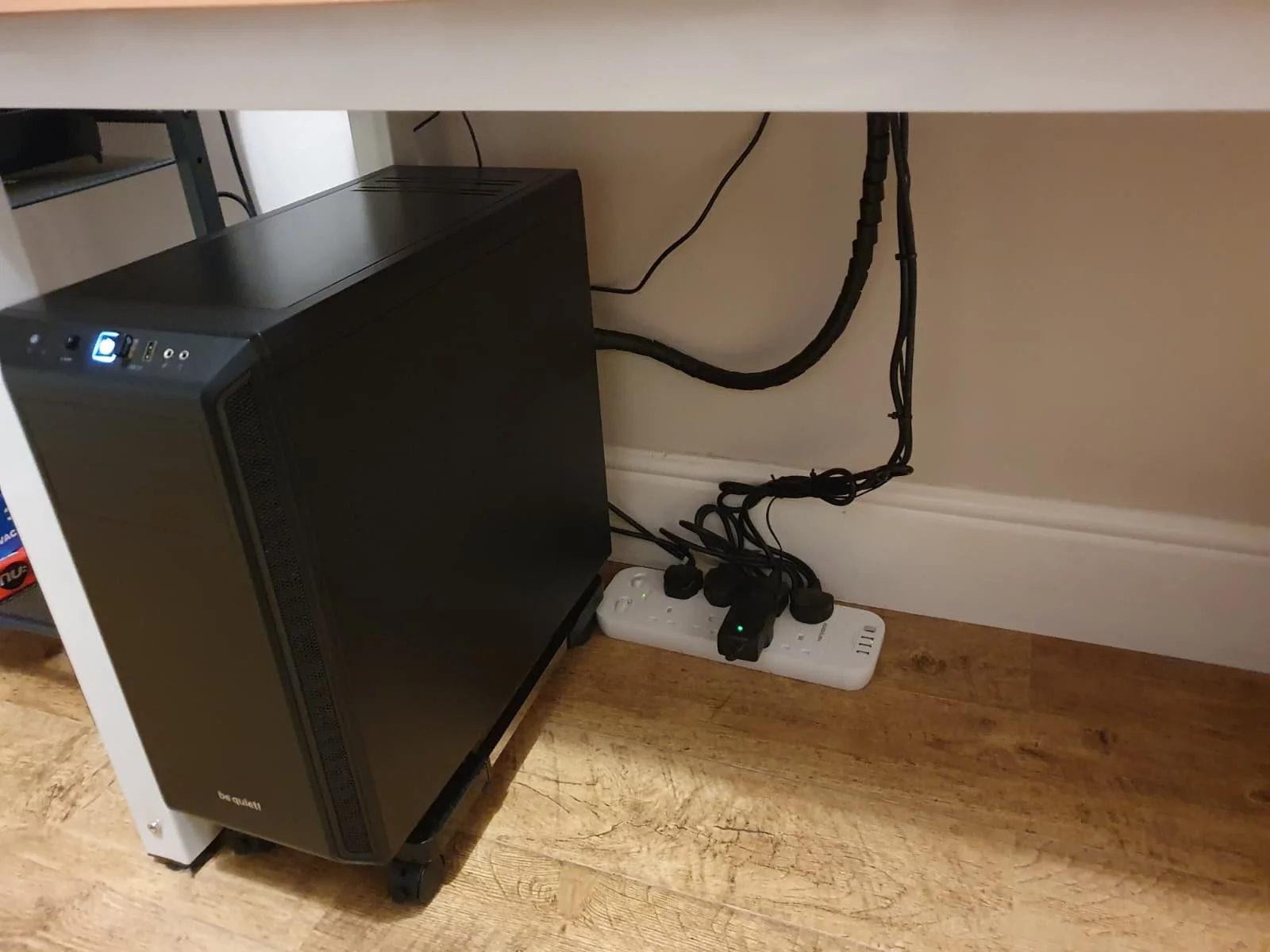
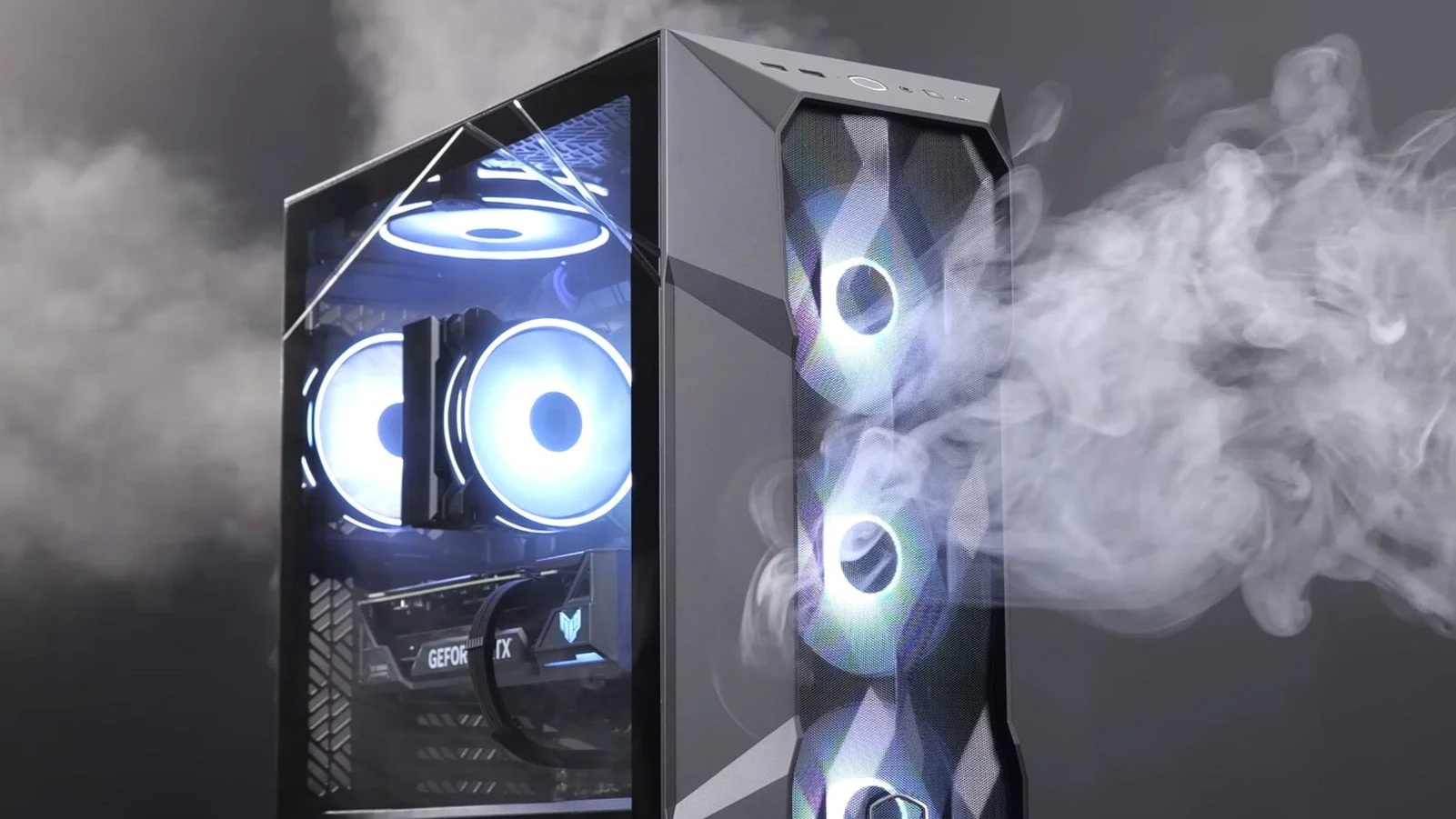
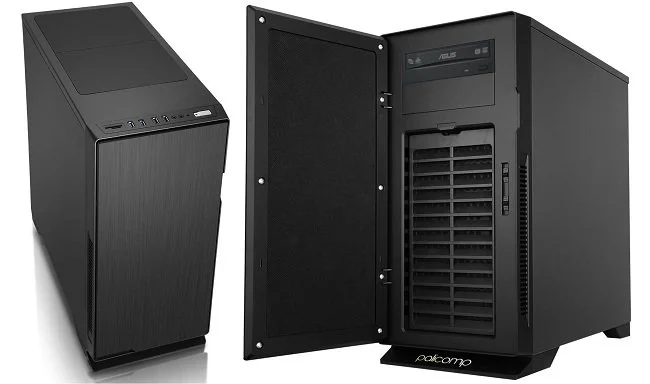
Migrating my existing SSD, HDD and graphics card into the new barebones system I bought from Novatech was very straightforward and surprisingly easy. The PC case is roomy affording plenty of space to work. The cable management was the most time-consuming element of the job. The PC booted up first time and made some software revisions to reflect the hardware change. As expected, the installation of Windows 10 Pro needed reactivation. As the copy I was previously using was a free upgrade from Windows 7, I didn’t have an existing product key easily available. So I bought a new one from an online reseller. The activation process was a nuisance as I couldn’t read the product key that was sent (it was a jpg of an OEM copy). So I spent an hour calling Microsoft, although the matter was eventually resolved, leaving me with an upgraded and fully functional PC. Yet despite ensuring that things such as the respective drive designations remained the same, some minor functionality was altered. Trivial things, such as the Windows Defender icon not appearing in the system tray and the Realtek Audio software being replaced by the default Windows Sound controls.
I first learned all the basic PC, server and network skills from a Siemens Nixdorf engineer back in the early nineties who mentored me. A few years later I passed my MCSE exams. As a result I tend to follow a very particular method when it comes to file naming conventions, how I organise my desktop and customise the Windows. When combined with my own propensity for neatness and order, things such as the missing icons or any unsolicited change to my PC in general really bother me. A lot. For example Discord recently altered the two themes that come with the software. I was perfectly content with the previous light colour scheme with its white central panel and dark sidebars. But that has now gone and I now have a “choice” of two revised themes and I like neither. I also hate it when software tries to do my thinking for me and offers what the developers feel is the “best for me”. I have no problem with such options but I dislike it when they become the default setting.
But I digress. I spent several hours trawling various Microsoft websites, forums and subreddits in attempt to restore my Windows Defender icon to the system tray. The most obvious fixes refused to work and I even started poking around in the Registry. I won’t bore you with all the details but I finally got the problem resolved by a workaround, rather than a legitimate solution. But that’s the nature of IT. And so as I wrap up this blog post, I now have to distil all the above rambling into some sort of cogent point. In many ways your PC is like your home. It is more than just a functional device but something that you can change to reflect your identity. Like furnishings and colour schemes, your PC is a subject to changes driven by your personal tastes. Furthermore, there is great personal comfort to be had in customising your PC and using it in a bespoke fashion that suits you. I feel the same way about unsolicited changes to my PC desktop as I do about someone coming into my lounge and moving my chairs around. It’s all about personal space, territory and possibly an element of being in control; something that is all too absent these days in real life. Some may find this odd but I suspect a lot of people will relate to these sentiments. Now where’s my favourite mug, I need to remove all those “shortcut to” arrows from my icons.
Yet Another PC Upgrade
There used to be a time when I would jump at the chance to get my hands on some new technology. I was the embodiment of an early adopter, seeking out all that was new and shiny. But things change. New stuff comes with a lot of issues. Compatibility problems, bugs, changes to the UI to name but a few. Age may not necessarily bring wisdom by default but it certainly makes you more indolent. New technology often makes work. Even if you plan everything meticulously, there’s always scope for something to catch you out. Hence, I now try to keep my technical environment functional and stable. If it ain’t broke, don’t fix it. However, and there’s always a “however”, my current PC has an Intel Quad Core i5-3340 3.10GHz processor. It is a third generation Ivy Bridge model circa 2013. As I’ve written in previous posts, everything else has been upgraded but the system’s Achilles Heel remains the processor. And it is showing its age now in terms of performance.
There used to be a time when I would jump at the chance to get my hands on some new technology. I was the embodiment of an early adopter, seeking out all that was new and shiny. But things change. New stuff comes with a lot of issues. Compatibility problems, bugs, changes to the UI to name but a few. Age may not necessarily bring wisdom by default but it certainly makes you more indolent. New technology often makes work. Even if you plan everything meticulously, there’s always scope for something to catch you out. Hence, I now try to keep my technical environment functional and stable. If it ain’t broke, don’t fix it. However, and there’s always a “however”, my current PC has an Intel Quad Core i5-3340 3.10GHz processor. It is a third generation Ivy Bridge model circa 2013. As I’ve written in previous posts, everything else has been upgraded but the system’s Achilles Heel remains the processor. And it is showing its age now in terms of performance.
Like many people, I live within a budget. Therefore, simply going to a high street store and buying a new PC, off the shelf, is not really an option. Similarly, even seeking a cheaper deal online is too expensive. A new PC with the sort of specifications I would like would costs about £600 - £700 or thereabout. I am not prepared to take on a debt to obtain such a system. Especially in light of the current and future UK economic climate. So the practical alternative is to upgrade the current processor in my PC. Due to the limitations of the motherboard, that also has to go along with the RAM. Therefore, I have decided to buy a barebones PC. A new case, with a processor, motherboard and RAM bundle. I can migrate the existing solid-state drive, hybrid hard drive and graphics card from my ageing PC, over to the new system as these three components are all relatively new. I have managed to find a good deal on AMD Ryzen 5 3600 Six Core Mid Tower Barebone Bundle.
There has always been a great deal of debate about the respective pros and cons of both Intel and AMD processors. I have owned PCs based around both in the past and have never felt that either was below par. I think that the performance differences mainly impact upon high end users who use their computers for specific tasks. My needs are very straight forward. I write using Microsoft Word, edit podcasts, encode video using Handbrake and play a variety of video games (in HD, not 4K). I do not require a beast of a system to do these things. After some research it became clear that the AMD Ryzen 5 3600 currently offers the best performance for my budget, rather than an Intel i5 option. The increase in performance should be sufficient for the expenditure and will hopefully keep my PC viable for another three years or so. By which time I shall be in better financial situation.
So far, the research and purchasing of new hardware has been a relatively hassle-free process. I took advice from trusted colleagues and used my own common sense. I managed to find a good deal from an established UK online vendor and the barebones system will arrive shortly. However, then the real fun and games starts. I am currently faced with two options. Build the new PC and then completely reinstall Windows 10 and all other software. Or attempt to transplant the current SSD with the operating system already installed into the new base unit. The former is a tedious uphill struggle, especially downloading all the games. But the latter is potentially fraught with problems as Windows 10 OEM is tied to the existing hardware. Changing substantial components such as motherboard and processer will require Windows to be reactivated. Plus there will be numerous drivers issues due to changes to the “hardware abstraction layer”.
Yet I am going to pursue this option so I don’t have to do a clean install of absolutely everything. I am hoping that I can use the windows repair utility to fix the existing installation and I have even taken the precaution of buying a new Windows 10 Pro OEM key, so if need be, I can activate it as a new product. If that fails, then plan B is to just do it all the hard way and reinstall everything. Hopefully, I shall receive the new hardware in the next 24 hours and tackle the nuts and bolts of the upgrade on Friday. Naturally, I shall document this process as I have with previous PC upgrades. Feel free to comment on both my choice of hardware and my overall strategy. As ever I would love to hear from those who have no concept of the term “budget” and how if I spend an extra £100, I can upgrade to the Gruntmaster 6000. Such advice is the gift that keeps on giving.
You Are Not the Intended Customer
After reading a lot of the recent coverage of Google Stadia, I find some of the comments and reactions from existing PC and console gamers just as “interesting” as the actual product itself. As for the basic concept of games running remotely at a datacentre, which does all the “heavy lifting”, we’ve been here before. On Live tried this in the UK back in 2009. They also had bespoke controllers just like Google Stadia but ultimately there was too many people in the UK at the time with low end internet connections, so the business failed. I believe Sony ended up buying all their patents. Obviously, technology has moved on in the last decade and certainly Google has more resources that it can bring to bear on the development of this product. But as I said, I find the way the news of this product was greeted to be of equal interest, because as ever core gamers are blinkered by their own erroneous perspective. They see themselves as the target demographic of any new service or game, which is not the case in this instance.
After reading a lot of the recent coverage of Google Stadia, I find some of the comments and reactions from existing PC and console gamers just as “interesting” as the actual product itself. As for the basic concept of games running remotely at a datacentre, which does all the “heavy lifting”, we’ve been here before. On Live tried this in the UK back in 2009. They also had bespoke controllers just like Google Stadia but ultimately there was too many people in the UK at the time with low end internet connections, so the business failed. I believe Sony ended up buying all their patents. Obviously, technology has moved on in the last decade and certainly Google has more resources that it can bring to bear on the development of this product. But as I said, I find the way the news of this product was greeted to be of equal interest, because as ever core gamers are blinkered by their own erroneous perspective. They see themselves as the target demographic of any new service or game, which is not the case in this instance.
Google Stadia is a service can run top titles on most domestic platforms. Does everyone have a PC or console? No. Does everyone have a TV and a smartphone? Yes (or as near as damnit). So I would hazard a guess that this new service is viewed by Google as a means to expand the reach of games to those who are currently either playing on the margins, or our entrenched in bespoke market such as cell phone games. Google do not seem to be offering anything to core PC gamers, who will more than likely not be interested in such a service. Game mods, high end graphics on “über” gaming rigs, and live streaming are some of the aspects of PC gaming culture that keep it distinctly separate from other video games communities. If anything, Google Stadia could be more of a threat to the console market. However, irrespective of both these issues, if Google can get casual gamers who play mobile games via a phone, to expand the scope of their hobby and start paying to play the latest console/PC titles, they could be on to a winner.
Potentially pitching to this particular quarter of the gaming diaspora, could prove extremely lucrative. Mobile revenue accounts for more than 50% of the global video games market. As of last year that was $65.4 billion. For those who don’t have a console or do not wish to purchase the latest titles at their current retail price, a gaming service such as Google Stadia, pitched at a comparable cost to something like Netflix could be a major hit. Naturally this service will not necessarily appeal to competitive gamers for obvious technical reasons such as lag. Nor will it be embraced by the PC Master Race/professional malcontents/zealous gamer purists who are disdainful of anything outside of their purview. But again, they’re not the target demographic and frankly they’re not a group that endears itself to either marketing departments or the wider gaming community. Gaming has become an everyday pastime in recent years and the term itself has also evolved. Making gaming even more accessible is naturally a logical business goal.
However change always has winners and losers. Although I see the business sense in a service such as Google Stadia, it also represents yet another nail in the coffin of “ownership”. I’m old fashioned and in some respects very much a product of the era I grew up in. I like to pay once for something and move on, and so do not warm to concepts such a recurring charges and live services. But I’m wise enough to understand that markets evolve and that the business models of the past are not immutable. You only have to look at the decline of physical media, especially in the music industry for proof. This is the age of “games as a service” and Google Stadia could potentially be the “killer” product that helps to normalise that, just as iTunes drove a stake through the heart of CD sales and made us all subscribers with virtual collections.
Learning How to Live Stream Part 1
Sometimes, it’s good to try something different and to learn new skills. I’ve been mentally restless of late and miss applying myself to technical problems and expanding my skills. It’s one of the few aspects of traditional “work” that I miss. So after some deliberation, I’ve decided to try live streaming. Whether I’m successful at it and maintain a regular streaming schedule is another matter altogether. But I’m going to give it a go and have already determined how I intend to approach it and what “my angle” is going to be. However, first things first. Matters such as style, tone and presentation are concerns for later. I spent today getting to grips with Streamlabs OBS and learning the basics. I thought I’d share my experiences because it hasn’t been as straight forward a process as I’d imagined.
Sometimes, it’s good to try something different and to learn new skills. I’ve been mentally restless of late and miss applying myself to technical problems and expanding my skills. It’s one of the few aspects of traditional “work” that I miss. So after some deliberation, I’ve decided to try live streaming. Whether I’m successful at it and maintain a regular streaming schedule is another matter altogether. But I’m going to give it a go and have already determined how I intend to approach it and what “my angle” is going to be. However, first things first. Matters such as style, tone and presentation are concerns for later. I spent today getting to grips with Streamlabs OBS and learning the basics. I thought I’d share my experiences because it hasn’t been as straight forward a process as I’d imagined.
First off, this post is not intended as a guide, it is more of a commentary on SLOBS and the wealth of information that is available online. Like most “free software” there is a minimal amount of information contained within the program itself. There are some video links for a standard installation and an overview of the software’s functionality. New users are encouraged to use the SLOBS Discord channel but getting help in such an environment is a mixed bag. You’re at the mercy of who’s online, how helpful they are and whether they’re a good communicator. The latter is a criticism that plagues most of the You Tube content on this matter. I sat through dozens of videos today, that were intended to help and share information. Sadly most were rambling, vague and poorly expressed. Fortunately, I have access to an existing streaming community who managed to answer most of my enquiries. Therefore I’d say lesson number one is to speak to other streamers if you can and try to replicate their settings.
Having configured SLOBS, I attempted a test. Rather than “Go Live” on my Twitch account, I opted to record the results. This proved very useful. New streamers will save themselves hours of grief if they ensure from the beginning to run SLOBS as an administrator. Otherwise it will not find the game that you’re streaming. Another foible of the software happens when tabbing between the game you’re playing and SLOBS itself, which mutes the sound of your live stream. This is an “active window” issue and the only immediate solution is to not do this while you’re “live”. Fortunately, there is a SLOBS Remote app for phones and tablets, so you can manage your scene transitions and management without the need to tab to SLOBS itself. However, this brings me to lesson number two. It is not essential, but it will certainly make matters easier if you have a second monitor.
And therein lies the rub. It is casually implied by Streamlabs and many of the internet guides that you can just install the software and “go”. However, the reality is not quite as simple. SLOBS has multiple functionality and there’s a wealth of widgets you can add to manage subscriptions and social interactions. It even integrates the chat from your Twitch channel into the UI when you “Go Live”. Therefore having a second monitor, a mobile device for SLOBS Remote and establishing a lot of additional key binds for extra functions are all desirable. All of which have to be implemented in a way that is accessible, while you’re playing a game. I’m sure a lot of good streamers get by in their own unique fashion, but for optimal performance, you need a large desk with lots of space, a multiple monitor set up and possibly a tablet or bespoke device such as Stream Deck.
I don’t really have the room for a second monitor on my desk nor want at this stage in the proceedings to invest in any further hardware. So I’ve settled for having SLOBS Remote on my phone for scene management and having chat from my Twitch channel displayed on my tablet. At this point I am not going to complicate matters by having a webcam and integrating myself into my live streams. Coming form a podcast background I prefer things to be about what is being discussed rather than my sartorial elegance and rugged good looks. Today’s test streams worked although they were minimalist in nature. Now comes the task of templates and scene design, although I want to keep this as basic and functional as possible. I shall cover the next stage of my “adventures” in my next post on live streaming. In the meantime, I have adjusted my opinion on all who try this medium as it isn’t as straightforward as it first seems.
A New Gaming Headset: A Convoluted Tale
I was at Crayford Sainsbury’s on Thursday (which apparently is their biggest store in the UK) and I saw that they were selling off Trust gaming headsets as part of the ongoing sale. As I had recently bought a new gaming mouse of the same brand, I sauntered over to the display and perused the sales blurb and subsequently bought one. To cut a long story short, due to an error on my part, I ended up purchasing an analogue headset instead of a USB one. This then raised a wealth of further software related problems, as well as logistical ones. My PC has far more strategically placed USB sockets, than 3.5 mm jacks. Hence, I have spent the last 48 hours troubleshooting this matter. Of course, I could have just returned the headset, but as it’s so devilishly comfy I decided against this. So here in detail are a list of the various problems that I encountered along with their respective solutions.
I was at Crayford Sainsbury’s on Thursday (which apparently is their biggest store in the UK) and I saw that they were selling off Trust gaming headsets as part of the ongoing sale. As I had recently bought a new gaming mouse of the same brand, I sauntered over to the display and perused the sales blurb and subsequently bought one. To cut a long story short, due to an error on my part, I ended up purchasing an analogue headset instead of a USB one. This then raised a wealth of further software related problems, as well as logistical ones. My PC has far more strategically placed USB sockets, than 3.5 mm jacks. Hence, I have spent the last 48 hours troubleshooting this matter. Of course, I could have just returned the headset, but as it’s so devilishly comfy I decided against this. So here in detail are a list of the various problems that I encountered along with their respective solutions.
My current PC has four 3.5 mm jacks at the rear of the case. The speaker output is currently utilised by my Logitech speakers. The line in and out, as well as microphone jacks remain unused. The are two further jacks on the front of the case. These accommodate headphones and a mic input. I initially plugged the headset into the front jacks but then encountered the first tech issue. My PC has Realtek audio hardware built into the Gigabyte motherboard. I noticed that despite having installed the latest Realtek drivers, that there was no Realtek icon in control panel and so I couldn’t configure the PC to output sound to both the rear speaker jack and the front headphone jack. I checked via the default Windows sounds icon as to whether I could make the necessary change there, but it lacked the correct functionality. After some online research, I learned that the latest Creators Update to Windows 10 had broken the current Realtek audio software. However, if I rolled back to version 2.73 which is over a year old, the software still worked, was accessible via control panel and restored the Realtek icon in the system tray.
Once I had uninstalled the latest software and reinstalled the old, I could plug the headset into the front of my PC, set the headset as the default communication device and leave the speakers as the default audio device. Thus, game music routes through the desktop speakers and voice chat via discord is channelled to the headphones. This resolved the software issues I initially faced but then presented me with a different problem. The front facing jacks on the PC are under a hinged panel. I would either have to leave the headset permanently plugged in or manually connect it each time I used it. I don’t like excessive cabling left attached to the PC in this way, as it inevitably will get snagged on something and broken. Plus, I have a minor mania for tidiness concerning my work place, so I sought an alternative solution. After a further internet search, I found and bought a USB External Stereo Sound Adapter. It arrived today. The headset is now plugged into the USB adaptor at the rear of the PC. The headset cable itself, has a connector midway along its 2-metre length. I have threaded the first metre from the back of the PC, to the cable tidy grommet on my desk. Whenever I want to use my headset, I simply plug them into the female jack socket with minimal inconvenience.
One further issue has arisen from this change in set up. Analogue microphones have certain benefits over their USB counterparts. If you experience a low recording volume, it is easy to boost the gain on analogue mics. Recent Windows 10 updates have hampered similar issue with USB microphones. There are works around out there but they require installing two pieces of shareware. These may well be broken by further Windows updates and leaves you reliant on independent developers to maintain. However, because I had installed older Realtek audio drivers, the accompanying software appended the native sound settings in control panel, allowing me to use a previously absent AGC (automatic gain control) setting. This boosts the USB mic recording levels to a more acceptable standard and finally brings this convoluted tale to a conclusion. The total cost of the Trust GXT 322 Carus Dynamic Headset was £30 and I then spent a further £6.49 on the Sabrent USB External Stereo Sound Adapter. I now know far more about Realtek drivers, Windows 10 and its propensity to break other software as well as having a timely reminder that ad hoc PC tech support is often a pain in the butt.
A Year in Technology
My relationship with technology has changed over the years and my enthusiasm has tempered greatly. Having worked in the IT field for 25 years (up until 2016), I have been immersed in technological advancement and due to my age have seen a great deal change. I was at one time an early adopter of anything I considered to be potentially beneficial to me and at times have been guilty of acquiring something “new and shiny” simply for its own sake. I have even flirted with that dubious notion of tech as a fashion accessory. But sometimes age does bring wisdom, so nowadays, I’m a firm believer in finding the sweet spot between “the right tool for the job” and “if it isn’t broke, don’t fix it”. Subsequently, 2018 has not seem me acquire a great deal of new technology. However, what I have bought this year or started using has been well received and useful.
My relationship with technology has changed over the years and my enthusiasm has tempered greatly. Having worked in the IT field for 25 years (up until 2016), I have been immersed in technological advancement and due to my age have seen a great deal change. I was at one time an early adopter of anything I considered to be potentially beneficial to me and at times have been guilty of acquiring something “new and shiny” simply for its own sake. I have even flirted with that dubious notion of tech as a fashion accessory. But sometimes age does bring wisdom, so nowadays, I’m a firm believer in finding the sweet spot between “the right tool for the job” and “if it isn’t broke, don’t fix it”. Subsequently, 2018 has not seem me acquire a great deal of new technology. However, what I have bought this year or started using has been well received and useful.
I managed to keep my ageing PC adequately performing for another 12 months, although I’m pretty sure that everything that can be improved, has been. This year I finally added an SSD as the existing hybrid drive just wasn’t cutting it. Naturally Windows 10 is now performing significantly better and has a much-improved boot up time. The clean installation I carried out has meant that a lot of games are no longer installed and those that are benefit from being on the SSD. At present this is just limited to LOTRO and STO. Assassin’s Creed: Odyssey, which I recently bought in a sale, has been placed on a secondary traditional hard drive due to its large size. This new game performs well but I cannot max out the settings, as I did with titles three or four years ago. I think 2019 will see me purchase a new PC but for the present my four-year-old system continues to serve well. However, that is mainly due to a memory upgrade, replacement graphics card and now solid-state drive.
I don’t know about you, but I get through a lot of keyboards and mice. I replace them both at least once a year and sometimes even twice. Keys tend to lose their markings and those that are used the most IE vowels, spacebar and backspace will become less responsive as their mechanism wears out. Similarly, I find that mice lose their left click quickly and that the perspiration from my hands eats through the plastic case. Both of these issues can be remedied by purchasing high quality replacements, but I tend to just buy a standard Microsoft keyboard from the supermarket along with whatever gaming mouse is being discounted. I bought a Trust CXT 105 mouse earlier this year which has the “added novelty” of changing colour. It does however have a fabric covered cable to prevent tangles which does appear to work quite well.
I recently wrote about buying a new tablet and how I eventually opted for the Fire HD 10. Some people don’t care for the device due to the pervasive way the Amazon ecosystem is integrated into the GUI. However, it has zero impact upon the consumption of content and I can read books, comics and watch videos in comfort and on a surprisingly good quality full HD 10-inch screen. 2018 also saw further improvements upon that other Amazon flagship products, the Echo. I originally purchased the first generation “smart speaker” back in November 2016. It continues to be regularly used in our household for news, music and internet enquiries as well as timers and alarms. This is also the third year I have been an Amazon Prime customer and once again, I have reaped the benefits of the subscription. I purchase not only for myself but for other members of my family. Subsequently I have a very eclectic purchasing history that often leads to some curious suggestions.
I acquired a new phone late in 2017 so have now had my Samsung Galaxy S8 over a year. I recently noticed some burn in on the screen so have moved icons and changed background to try and minimise any further problems of this kind. I have endeavoured to not be one of those people who is continuously on my smartphone and I’ve successfully imposed a set of rules to ensure that it is not used all the time, especially in social situations. I have removed a lot of superfluous apps this year focusing on those that seem to access my contacts and location for no valid reason. I have managed to not use Uber Eats excessively although it does make ordering unhealthy food on a whim and having it delivered to your door worryingly too easy. If they ever bring out a similar app for gin, then I may be doomed. The Taxi Card service that allows me to reliably book black cabs at a discounted rate for my disabled parents has been invaluable.
Technology is everywhere and permeates so many aspects of our lives. I order medical supplies for my father online and have an app on my phone that shows me what carers have visited him in the morning and evening and what actions they have taken with regard to his wellbeing. I can email my local pharmacist with prescription requests and have them delivered if required. The internet age certainly has benefits when managing my parents’ affairs. However, as a household we still choose to grocery shop at the actual supermarket, rather than shop exclusively online. And although apps, hardware and web-based services bring a great deal of convenience, they do not provide the social element that traditional face to face transactions bring. Therefore, I continue to try and maintain a healthy balance between the two. I also remain sceptical of so called “free” services that continue to harvest our personal data. Overall, I still think that my life has benefitted by the technology and services that it provides. It remains to be seen whether this equitable balance continues into 2019.




















Amazon Fire HD 10
I find that the key to successfully buying any new item of technology is to know in advance exactly what you want from it and setting yourself a realistic budget. The next step, which is detailed research, is the one that I struggle with. Because it always involves a particular foible of human nature that really sets my teeth on edge. Far too many reviewers and technology journalists don’t fully grasp the concept of budgets as well as the idea of committing to the item that they are writing about. IE I often encounter sentiments such as “the Gruntmeister 2000 is a good option, but if you spend a little bit more you can get the 3000 model”. It’s habit that infuriates me. A budget of £100 is exactly just that. No more, no less. Therefore, if a buyer has specified their financial limit then it is illogical, crass and frankly damned rude to mention products that fall outside of that price range. Oh, it makes me want to punch until there’s brain matter on the walls. However, now that we’ve got that out of the way, I managed to track down exactly the new tablet that I needed. Furthermore, I got a bargain as it’s “Black Friday”.
I find that the key to successfully buying any new item of technology is to know in advance exactly what you want from it and setting yourself a realistic budget. The next step, which is detailed research, is the one that I struggle with. Because it always involves a particular foible of human nature that really sets my teeth on edge. Far too many reviewers and technology journalists don’t fully grasp the concept of budgets as well as the idea of committing to the item that they are writing about. IE I often encounter sentiments such as “the Gruntmeister 2000 is a good option, but if you spend a little bit more you can get the 3000 model”. It’s habit that infuriates me. A budget of £100 is exactly just that. No more, no less. Therefore, if a buyer has specified their financial limit then it is illogical, crass and frankly damned rude to mention products that fall outside of that price range. Oh, it makes me want to punch until there’s brain matter on the walls. However, now that we’ve got that out of the way, I managed to track down exactly the new tablet that I needed. Furthermore, I got a bargain as it’s “Black Friday”.
I like to do specific tasks via specific devices. As my phone is constantly with me, I primarily use it to access emails, texts, WhatsApp and Twitter. My desktop PC is where I write, create and edit podcasts and play games. My tablet is mainly for the consumption of content, such as podcasts, e-books and reading comics. The form factor lends itself to comfortably sitting on the sofa, reading a good book. A decent case means it can sit on bathroom unit, while I soak in the bath and listen to one of my favourite shows. And of course, perusing a quality graphic novel on a 10-inch screen is definitely a good way to enjoy the medium. So, bearing all this in mind, I knew in advance that I didn’t need a top end Samsung tablet along with it’s accompanying price tag. It soon became apparent that the Amazon Fire HD 10 would cover all my needs and I am happy to confirm that it certainly does. Its total cost was £100, although I also bought the matching case which added a further £25 on the overall price.
To start with let’s get the “negative” points out of the way first. Samsung and Apple tablets always feel incredibly robust, solid and “good quality” when you handle them. The Amazon Fire HD 10 feels cheaper. That’s not to say fragile because it’s not. But it’s rudimentary plastic build is what it is. The Fire operating system is not pure Android but Amazon’s own customised build. This is optimised towards Amazon’s own eco-system and therefore excludes rival apps. However, it is far from difficult to sideload Google Play store and add those apps you desire. The camera is also below par, but as it’s not really what I bought the table tablet for, it seems irrelevant. Frankly does anyone buy a tablet for the camera? The Amazon Fire HD 10 plus points are by far more important. First off there’s a nice 1920 x 1080 display. Its is sharp bright and vibrant making it eminently suitable for watching movies and streaming content. Battery life is also robust offering 10 hours of “mixed” use. The MediaTek quad-core processor is combined with 2GB of RAM and performs well. Navigation is smooth and there’s no major lag when navigating the interface. And then there’s the price which is approximately a third of the latest iPad.
I bought the 32GB version of the Amazon Fire HD 10, which so far is adequate for my needs. If there are any issues, then I can make use of the microSD card slot which offers up to another 256GB of storage space. Contrary to what I expected I have not had to make too many changes to the UI. I have turned off some of the superfluous Amazon promotional features and have dragged the unnecessary icons into a single tidy folder. I quickly found simple instructions online as to how to install the various Google apps I needed. At present my tablet has both Netflix and Amazon Prime, along with Podcast Addict, You Tube and Challenger Comics Viewer. I have no immediate intention of bloating OS with additional services, although I’m sure it can easily accommodate them. I also like the simple but functional Amazon case that I bought. Overall, I am pleased with this purchase as it has totally met my expectations. Compared to the past where I used to jump in feet first with new tech and tended to be an early adopter, I now favour this more targeted and measured approach. If your tablet needs are equally as straight forward to mine, you too may find the Amazon Fire HD 10 to be the best option currently on the market.
PC Upgrade Time Again
It was this time last year that I increased the RAM from 8GB to 16GB in my PC, and replaced the ageing GeForce GTX 650Ti 2GB, with a relatively better GTX 1050Ti 4GB. The PC is based around an Intel Quad Core i5-3340 3.10GHz processor, which is a third generation Ivy Bridge model circa 2013. Yet despite being five years old, it is still adequate for my gaming, writing and editing podcasts needs. At present, the 2TB Seagate hybrid SSHD that I installed in November 2016 is performing very poorly. Boot up times have grown longer in recent months and despite using the manufacturers diagnostic tools, I cannot find a specific technical problem with the drive or the Windows 10 start-up sequence. So, I have decided to replace the drive with a new SSD and install the operating system on it, then reformat the older SSHD and re-use it for data storage (mainly music and videos).
It was this time last year that I increased the RAM from 8GB to 16GB in my PC, and replaced the ageing GeForce GTX 650Ti 2GB, with a relatively better GTX 1050Ti 4GB. The PC is based around an Intel Quad Core i5-3340 3.10GHz processor, which is a third generation Ivy Bridge model circa 2013. Yet despite being five years old, it is still adequate for my gaming, writing and editing podcasts needs. At present, the 2TB Seagate hybrid SSHD that I installed in November 2016 is performing very poorly. Boot up times have grown longer in recent months and despite using the manufacturers diagnostic tools, I cannot find a specific technical problem with the drive or the Windows 10 start-up sequence. So, I have decided to replace the drive with a new SSD and install the operating system on it, then reformat the older SSHD and re-use it for data storage (mainly music and videos).
I briefly considered replacing the entire PC or at least buying a new motherboard and processor but both options were far from economical. Unlike so many computer related websites and forums, I do understand the underlying concept of working within a budget. After perusing Amazon, I manged to get a SanDisk SSD PLUS 240GB Sata III 2.5-inch Internal SSD and a 2.5-inch HDD/SSD to 3.5-inch HDD mounting frame for £47, including free next day delivery. The plan is to remove the existing drive, fit the SSD and do a fresh installation of Windows 10 and Office 365. As the SSD is only 240GB I shall be reserving the majority of the space for future Windows and Office updates. Therefore Steam, photos, videos and music will all go on another drive. However, I may install the two MMOs that I regularly play (LOTRO and STO) on the new SSD due to the performance boost it will afford them.
While researching this upgrade, I did consider cloning my existing SSHD to avoid having to re-install and migrate everything on it, but that meant having to purchase a 2TB SSD (at a cost of £300 minimum) or having to tinker with the cloning process to only copy specific files to fit a smaller sized drive. Such a strategy would be time consuming and increase the chance of errors occurring. Hence manually re-installing programs and migrating data is the path I have chosen. It at least affords me the opportunity to do some housekeeping on my current data. There are files that can be purged and games and programs that don’t require being re-installed. However, it will still prove to be a long process and I will not be content until I have essential items such as Outlook, fully replaced. The only other factor to consider is when is the optimum time to start this project. Sadly, it is not something that can be automated but requires user intervention in real time. If things go wrong expect another blog post.
DIY Tech Support: A Cautionary Tale
Late in the evening of March 1st I noticed that my default photo viewer, Microsoft Photos, had stopped working. When trying to open a screenshot taken from ESO, the application would launch and then simply close immediately. As I went to shut down my PC I noticed that a Windows 10 update was installing and attributed the problem to this. I erroneously assumed that the matter would be resolved when I restarted my computer the following day. Needless to say, it did not. Now for those who are not especially IT savvy, or more to the point interested in problem solving, the easiest solution was to either assign another program or app as the default picture viewer or install a new one and move on. Sadly, I’m not wired that way.
Late in the evening of March 1st I noticed that my default photo viewer, Microsoft Photos, had stopped working. When trying to open a screenshot taken from ESO, the application would launch and then simply close immediately. As I went to shut down my PC I noticed that a Windows 10 update was installing and attributed the problem to this. I erroneously assumed that the matter would be resolved when I restarted my computer the following day. Needless to say, it did not. Now for those who are not especially IT savvy, or more to the point interested in problem solving, the easiest solution was to either assign another program or app as the default picture viewer or install a new one and move on. Sadly, I’m not wired that way.
Having worked for twenty-five years in the IT industry before retiring, troubleshooting and technical problem solving is somewhat ingrained in me. I am very particular about how my computer is set up and what software I use. I always customise my Windows interface a particular way and even have a preferred set of icons. I detest any change made by the operating system without my prior knowledge and random rogue behaviour such as that demonstrated by Microsoft Photos, really bugs me. My entire borderline OCD approach to technology stems from the way I was mentored and taught. Order, structure and process should always be present, right the way from network topology down to directory organisation and file naming. Don’t get me started on patch panel management.
So, I diligently went about some old school troubleshooting. First off, I checked to see if the problem was with all photo viewing software or just Microsoft Photos. As .jpgs and .png files were working fine with Paint and GIMP, I determine this was a Microsoft issue. I then looked to see exactly what updates had been installed, made note of their credentials and then searched via Google to see if there were any known issues with them. Nothing obviously became apparent, so I decided to do some standard app troubleshooting. I reset the Microsoft Photo app, with no result. I then purged the app cache with again no effect. Next up I did a clean uninstall of the problematic software and then re-installed the latest version. Again, the fault persisted so it was time to up the ante and start some more in-depth trouble shooting. I ran Microsoft Photos, made specific note of the time and then went to the event viewer to see what the log files had to say. They pointed to a problem with the “twinappi.appcore.dll” file.
By now we were no longer in elementary problem-solving territory. You don’t idly mess with .dll files and the registry. So, after establishing a restore point and taking a back up of the Windows Registry, I used Powershell to de-register and then re-register the offending file. The problem with the photo app still continued. By now I was totally focused on the problem and quite prepared to go to great pains to remedy it, simply on principle. Plus, to be fair, I’ve always enjoyed the satisfaction of solving these types of issue. If you ever worked in IT for any length of time you soon learn that victories are often celebrated alone and at obscure times of day. So, because of my bloody mindedness, I made a bootable Linux thumb drive, so I could access the System32 directory and replace the problem file with a copy from another Windows installation. However, the version of Ubuntu I used had limited admin privileges, so I couldn’t amend any Windows system files. I could have used an older or different version of Linux but by now it was late, so I decided to continue trouble shooting the following day.
Google is an incredibly useful tool but often the success or failure of your search hinges upon what search parameters you use. So, the next day, I spent a far longer period of time searching various tech forums and Microsoft resource sites. What I did discover is that Microsoft Photos regularly gets broken by either Windows Updates or common place driver updates from companies such as AMD and Nvidia. I found that many of the steps that I had taken would work for some situations and not for others. I also found some posts that recommended some more risky and potentially labour-intensive solutions. A system restore to an earlier date was probably the most logical of these solutions, but it would have an impact of several other programs I have installed and thus would make additional work. Someone even advised me to do a Windows Reset which would keep my personal file but effectively re-install the operating system which would then mean a crap ton of work loading software back on and tinkering with my PC to get it “as I like it”. Bearing all this in mind and the fact that the problem still wasn’t solved, I sat down with a large Gin and came to a decision.
Age can bring wisdom if you let it. I have put aside my “need” to solve this issue and have simply installed an alternative piece of software. Actually, what I did was create a registry entry that allowed me to access Microsoft Photo Viewer, which is an older photo app that used to be the default viewer in Windows 7. I can live with this compromise. If I double-click on an image file, it opens within an acceptably simple app. I will simply wait for Microsoft to fix this problem in their next cumulative update for Windows 10. The only downside at present is that when I open animated .gif files they are static within the current software. I can live with this. It’s been a while since I’ve done any troubleshooting, mainly because I’ve had precious few issues with Windows 10 since I installed it. I guess my “tight ship” regime may also be a factor. However, what this experience has done is to remind me is how tedious and irritating problems of this nature can be. Also, once again Montgomery Scott has been proven right.” The more they overthink the plumbing, the easier it is to stop up the drain”.
Time for a New Phone Again
Two years ago, I renewed my contract with Vodafone and upgraded my mobile handset to a Samsung Galaxy S6. It has served me well over the last twenty-four months but the battery has been playing up of late and the phone barely survived a day on a full charge. Luckily, I became eligible for a new handset last week, so I decided upon the Samsung Galaxy S8. Now technophiles and phone aficionados have all informed me (AKA bored me) that there’s a newer Samsung handset being released in spring 2018. But my relationship with gadgets and the like has radically changed and I am no longer compelled to be at the cutting edge of technology. The S8 is more than adequate for my needs and is a tried and tested model. It arrived today and mercifully migrating all my personal data was an easy process, thanks to cloud based backups.
Two years ago, I renewed my contract with Vodafone and upgraded my mobile handset to a Samsung Galaxy S6. It has served me well over the last twenty-four months but the battery has been playing up of late and the phone barely survived a day on a full charge. Luckily, I became eligible for a new handset last week, so I decided upon the Samsung Galaxy S8. Now technophiles and phone aficionados have all informed me (AKA bored me) that there’s a newer Samsung handset being released in spring 2018. But my relationship with gadgets and the like has radically changed and I am no longer compelled to be at the cutting edge of technology. The S8 is more than adequate for my needs and is a tried and tested model. It arrived today and mercifully migrating all my personal data was an easy process, thanks to cloud based backups.
Annoyingly, the tariff that I’ve enjoyed for the last two years has now been retired and I was forced to move to another, which has resulted in a £6 a month increase. Subsequently, I now have a larger data allowance, not that it’s required, as I have a plethora of wireless networks saved on my phone. Whenever I visit someone these days, one of the first questions I ask is “what are your Wi-Fi details?” or something similar. Such is modern life. Frankly, the entire manner in which I use my phone has changed in recent years. Where it used to be a work tool, it is now mainly an administrative platform for my parent’s needs. I have multiple taxi apps, as well as others designed to re-order medication and book hospital and clinic visits. My calendar is a litany of appointments for others rather than myself.
My phone is currently the primary means for me to listen to podcasts. I travel a lot locally and this presents a lot of “dead time” that is ideal for catching up with my favourite shows. I also like to carry a selection of my own music, as my esoteric tastes don’t always align with streaming services. Luckily the S8 has a Micro SD card slot so I can bring what I like with me. WhatsApp is also an invaluable way to stay in touch with my wider family. Samsung phones have also had quality cameras for several years now and I do find myself taking more photos these days. Furthermore, it’s not all pictures of the grandchildren. We live in such an absurd world I often take a snap of anything that I find odd or quirky. Despite its flaws, I also still enjoy twitter and will often tweet while out and about, pointing out the strange foibles of life. Having a robust and quality phone allows me to do all these things easily.
I recent months I have made a concerted effort to separate myself from my phone in specific social and domestic situations. I still find the contemporary social etiquette regarding phone use a little discombobulating. I won’t dismiss out of hand the addictive nature of phones as I recently took time out to monitor how much I used mine and I do find myself checking it more and more. Hence I’m trying to show a degree of restraint. However, putting aside the issue of manners, I am of the opinion that phones are for better or for worse, essential tools nowadays. As a carer, managing the logistics of my parent’s lives would be far more difficult without the convenience of a phone. I recently went to a wedding in Hampshire and my phone was an invaluable navigational aid. I even paid in a shop recently for some miscellaneous crap using my Samsung Pay. So, while some folk may look to their flashy new phone for bragging rights, I see mine as an extension of my desktop computer. Either way, I wouldn’t be without it.
Upgrading Your PC
My current PC is nearly four years old (I know it’s shocking isn’t it?). I bought a bare bones system from Zoostorm back in January 2014 and have made several upgrades to it since then. At present the PC is built around an Intel Quad Core i5-3340 3.10GHz and has 8GB of DDR3 RAM. Storage is handled by a 2TB Hybrid Hard Drive and the graphics card is a GeForce GTX 650 Ti 2GB. I also replaced the standard PSU with a Cooler Master 500W 12V Elite Power 500 Power Supply Unit. So far, this PC has served me well and until recently has handled pretty much all the tasks I’ve thrown at it. However, it labours when taxed and struggles to run some of the more recent games at what I consider to be an acceptable level. So, I’ve been considering my options as to whether to replace the entire PC or to upgrade it further. Although money is not a major issue, it would be more fiscally prudent to replace a few components rather than buy a new system. Older Ivy Bridge processors such as mine are still viable, so I’ve decided to increase the RAM and replace the graphics card.
My current PC is nearly four years old (I know it’s shocking isn’t it?). I bought a bare bones system from Zoostorm back in January 2014 and have made several upgrades to it since then. At present the PC is built around an Intel Quad Core i5-3340 3.10GHz and has 8GB of DDR3 RAM. Storage is handled by a 2TB Hybrid Hard Drive and the graphics card is a GeForce GTX 650 Ti 2GB. I also replaced the standard PSU with a Cooler Master 500W 12V Elite Power 500 Power Supply Unit. So far, this PC has served me well and until recently has handled pretty much all the tasks I’ve thrown at it. However, it labours when taxed and struggles to run some of the more recent games at what I consider to be an acceptable level. So, I’ve been considering my options as to whether to replace the entire PC or to upgrade it further. Although money is not a major issue, it would be more fiscally prudent to replace a few components rather than buy a new system. Older Ivy Bridge processors such as mine are still viable, so I’ve decided to increase the RAM and replace the graphics card.
The only real headache I’ve had during this process was trying to determine a suitable graphics card. The budget of £150 has imposed a degree of restrictions. As I have said in the past, relying upon reviews is often a double-edged sword. Although I’ve found some that are informative, journalists seem reluctant to commit to a specific opinion. Hence, all too often I’ve wasted my time reading 500 hundred words that end by telling me to to increase my budget and buy something better. Patently, many tech writers fundamentally fail to grasp the concept of a “budget”. However, despite all this, I finally decided upon the Zotac GTX 1050Ti 4GB. I managed to obtain this model for £130. It’s a compact graphic card with a small form factor, that has a TDP of just 75watts, which means it can be powered with the PCie Bus alone. Not only does this mean no messing about with power adaptors and cable management, it also sounds devilishly saucy.
I’m also going to increase the RAM in my PC. This is not so much for the gaming, as the benefits in that respect are questionable. This is specifically for audio editing which can be very RAM intensive when editing and rendering. Doubling the quantity from 8GB to 16GB should make a significant improvement. However, as I have an older Gigabyte motherboard, I am still tied to DDR3 RAM. Rather than trying to find an exact matching module for the existing 8GB, I have opted to replace it and have bought two new Corsair 8GB DIMMs at £100. Mismatching memory modules or purchasing unsupported upgrades are common mistakes that often end in tears. So, I ensured that I checked my motherboard specifications thoroughly and conferred with the Corsair website before I committed to this upgrade. I also used the PSU calculator over at the Cooler Master website to ensure my current power supply is up to the job but it seems I over specified that when I originally replaced it.
All things considered, I am quite pleased with the choice of hardware for my new PC. It may not be the computing beast that some tech-heads may favour but frankly I'm no longer infatuated with technology in the way that I was a decade ago. I also find the subreddits on these matters to be technically spurious and populated by preening fans who often can’t see the woods for the trees. Getting practical and realistic advice is often like pulling teeth. However, I am confident the specifications of this PC will allow me write, record and edit podcasts as well as play games to an acceptable standard. So far, the overall spend has been £230, care of Amazon Prime. Plus, this exercise gives me an opportunity to dust off my tools and tinker with my PC. Although I am, for all intents and purposes, officially retired from working in IT, I do miss it from time to time.
Discord
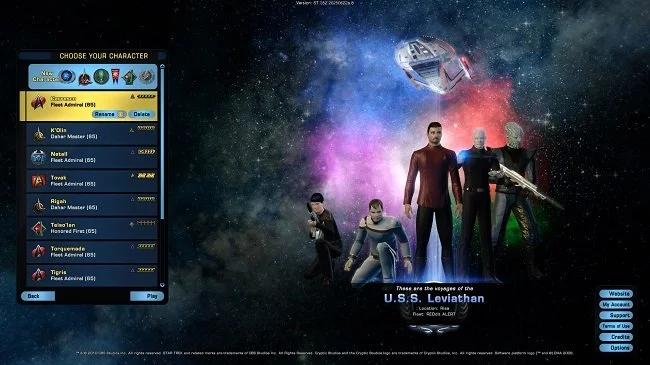
I’ve been using a TeamSpeak server for nearly a decade and have found it an invaluable tool during that time. It has primarily provided a “home” for myself and my gaming colleagues. We meet up every Wednesday night and chew the proverbial fat while playing various MMOs. However, it has also provided a backup podcasting recording facility and on several occasions hosted impromptu business meetings. Costing $10.80 every quarter, for a ten-user server, TeamSpeak has been great value for money. The hosting company, TypeFrag, have provided good customer service and until recently there’s been no reason to change this business arrangement. Unfortunately, the server has been problematic over the last fortnight, with random disconnects and lengthy outages. Despite following the troubleshooting FAQ, the matter remains unresolved.
I’ve been using a TeamSpeak server for nearly a decade and have found it an invaluable tool during that time. It has primarily provided a “home” for myself and my gaming colleagues. We meet up every Wednesday night and chew the proverbial fat while playing various MMOs. However, it has also provided a backup podcasting recording facility and on several occasions hosted impromptu business meetings. Costing $10.80 every quarter, for a ten-user server, TeamSpeak has been great value for money. The hosting company, TypeFrag, have provided good customer service and until recently there’s been no reason to change this business arrangement. Unfortunately, the server has been problematic over the last fortnight, with random disconnects and lengthy outages. Despite following the troubleshooting FAQ, the matter remains unresolved.
Rather than waste further time trying to fix the issue, I decided to set up a Discord server. For those who may not know, Discord is a proprietary freeware VoIP application designed for gaming communities. Discord runs on Windows, macOS, Android, iOS, Linux, and in a web browser. As of May 2017, Discord has over 45 million users. Let it suffice to, if you are after a third-party chat server that supports not only voice but text as well, then Discord is the go to app. Configuring the server is very easy and inviting users and setting permissions is straight forward. Discord supports the embedding of hyperlinks, video, live streaming and has a wealth of other functionality. It therefore has appeal to more than just gamers. You can host a full online business conference if you see fit.
Although you can use Discord via your web browser, downloading and installing the desktop client offers full functionality. Even with a modest internet connection the audio quality in chat is very good. However, for me the biggest point of interest about Discord is its support for plugins. The client can be extensively customised both visually and in functionality. I made a cursory Google search regarding creating and managing an audio playlist and instantly found two plugins that supported this. It would appear that there is a busy community of programmer associated with Discord and that the quality control is quite high. Overall, there is much to praise and little to criticise with regard to Discord. Furthermore, it has the best price, in so far that its free.
And it is this final point that is the only thing that slightly alarms me. I’m not quite sure exactly how their business model works. There is no end user fee, at present, so I would guess that the company makes their money via licencing. Discord provides seamless integration with services such as Twitch TV, Steam, and Facebook. I would assume this is where revenue is raised. However, the fact that Discord is free does concern me a little and regular readers will be aware of my thoughts on becoming reliant on services with such a business model. Yet for many people, this is not an issue and the immediate practical solution that the service offers cannot be ignored. Therefore in the meantime, I shall start distributing invites to the all new Contains Moderate Peril Discord server, while bidding a fond farewell to TeamSpeak.






















The Importance of Internet Access
There are many factors that contribute to deciding where you live. Price and location are primary considerations. If you have a family then schools are a major factor. Then there are other issues such as council tax, local facilities and transportation. If you use any of the major property listing websites, then you’ll find data on all of these points. However in recent years an additional factor has been added to this list of requirements. Internet access now plays a role in deciding whether a property is right or not. Having a fast and stable connection not only improves our leisure time but also play a part in many peoples work life. Self-employment and working from home are becoming more common, as is a culture of working outside of traditional hours. For many, internet access is now as essential as any other utility service.
There are many factors that contribute to deciding where you live. Price and location are primary considerations. If you have a family then schools are a major factor. Then there are other issues such as council tax, local facilities and transportation. If you use any of the major property listing websites, then you’ll find data on all of these points. However in recent years an additional factor has been added to this list of requirements. Internet access now plays a role in deciding whether a property is right or not. Having a fast and stable connection not only improves our leisure time but also play a part in many peoples work life. Self-employment and working from home are becoming more common, as is a culture of working outside of traditional hours. For many, internet access is now as essential as any other utility service.
Sadly, the UK still remains a country where the digital divide is clearly apparent. High speed, fibre based internet access is still only economically viable to rollout in major business and urban areas. Thus it is still only available in the major cities. 4G coverage is also patchy in rural areas, so offers no real alternative service. You may find a few wireless options here and there throughout the country along with other innovative providers. However the digital aspirations of successive UK governments have failed continuously over the last fifteen years. Trite buzzwords such as “superfast broadband” are still bandied about by politicians with no real technical background. You only have to look at the finer points of the current Digital Economies Bill, as it passes through The House of Lords, to see that it woefully misses the mark with regard to serving the needs of consumers and business alike.
I live in South East London, in a proverbial “leafy suburb”. Residents of the borough are in the core demographics for Netflix, Amazon Prime and other leisure services. Self-employment and home businesses are common too. Therefore, the major telecommunications companies see fit to provide suitable home and business internet services. For example, British Telecom (of whom I am a customer) offers fibre internet services from the local telephone exchange to cabinets in the streets. Connections to the home are then bridged by use of telephone landlines, providing speeds of 50 or 75MB. Virgin Cable is currently being rollout in my area offering 200MB connections in direct competition. Most packages have an unlimited download option. Yet the contrast with the rest of the UK is stark. Large parts of the country still have to make do with ADSL 2+ services providing connections of between 2 and 8MB. Often those living in such areas have no alternative vendors to go to.
Until last year when I became a carer, I relied upon the internet for the provision of my work. I would log into a secure site to collect my technical writing assignments and once completed, return to upload them. Prior to then, I would often store backups of client’s data on my own home servers. I’ve been working from home in some way or another since 2002 and have therefore always had a need for a robust and fast connection. Since my early retirement, I still find that the bulk of the administrative duties I do for my disabled parents need to be carried out online. In fact, given the choice I prefer to do most things that way. I can make quick purchases for my parents such as medical supplies, directly from my phone. I can do my accounts and file my tax return from my desktop PC. Pretty much all the day to day household administration that we all face, can be done via the internet at our own convenience.
Sadly, many in the UK can’t consider such a move to online services, finding themselves on the wrong side of an ever-widening digital divide. Which raises the question as to whether internet access should be seen as more than a luxury and effectively a necessity? Certainly, business has embraced the concept of free wi-fi as a means to keeping customers in certain retail industries happy. Should society and possibly government go beyond this and ensure that internet access is guaranteed in specific circumstances? For example, I frequently visit a major hospital in Kent with my Father. Because of the geography of the area, a mobile phone signal and thus internet access is unavailable within the hospital grounds. If you wish to speak to family or order a taxi, you have to walk for about five minutes or more to be able to do so. However, you can purchase internet access as a patient or a visitor for a fee. I have found myself on several occasions at this location in the early hours of the morning and have thus been forced to pay to get online, to return home. Considering that people at hospitals are frequently under pressure or in distress, should internet access be gated in such a way?
In the UK family incomes within certain demographics have fallen in recent years. In light of the forthcoming economic changes the country faces, it is likely they will continue to do so. Combined with a skills shortage and a decrease in social mobility, we are seeing a clear distinction between the haves and the have nots. The digital divide clearly reflects this. If you find yourself living in specific post codes, unless you find a means to leave, you may well find yourself excluded from adequate internet access. With further services and resources going online, there is potential to further marginalise specific groups of society. Internet access is too important to be driven by just market forces. Is it not time for this matter to be dealt with in a more socially responsible way? Because I suspect that if it is not, it may come back to haunt us in a decade’s time.
Amazon Echo
I recently decided to buy a year’s subscription to Amazon Prime. It was discounted by £20 and as I’ve been purchasing more and more from Amazon of late, it made sense to take advantage of the deal. So, I spent £59 and became a Prime customer. The first thing I did after receiving the confirmation email that I was now one of the “chosen”, was to buy the Amazon Echo. I’ve had my eye on these so-called smart speakers for a while. I was toying with the idea of buying the Google Home but it doesn’t become available in the UK until after Christmas. The Amazon echo has the advantage of being a tried and tested product that has been around since June 2015 in the US. As I’ve now bought into the Amazon ecosystem it made sense to go with their product and utilise its respective resources fully.
I recently decided to buy a year’s subscription to Amazon Prime. It was discounted by £20 and as I’ve been purchasing more and more from Amazon of late, it made sense to take advantage of the deal. So, I spent £59 and became a Prime customer. The first thing I did after receiving the confirmation email that I was now one of the “chosen”, was to buy the Amazon Echo. I’ve had my eye on these so-called smart speakers for a while. I was toying with the idea of buying the Google Home but it doesn’t become available in the UK until after Christmas. The Amazon echo has the advantage of being a tried and tested product that has been around since June 2015 in the US. As I’ve now bought into the Amazon ecosystem it made sense to go with their product and utilise its respective resources fully.
After a week and a half of using the Amazon Echo I am broadly in agreement with most of the reviews that I’ve read. The speaker itself is robust and of a sound quality that I find more than acceptable. Despite being a Prime customer I opted to try Amazon Music for a month, thus expanding the library of music available from two million tracks to forty million. The reason for this is that my significant other and I have broad and eclectic music taste and simply wanted more choice. Playing individual songs, specific albums and bespoke playlists is quick and easy. In a nutshell, the ease of access and use that the Echo affords means that music is now a regular feature in our household again.
The Echo is also easy to move about the house, connecting effortlessly to your Wi-Fi. Bluetooth connectivity means that it can easily pair with phones, tablets or even desktop PC. This flexibility means that family members do not have to fight over using the Echo, nor inflict differing musical preferences upon each other. The voice recognition software is sufficiently sophisticated and usually understands the various requests our household makes. There are times when Alexa struggles to understand languages other than English but then again it may down to my poor pronunciation. As for Alexa, her neutral UK English accent is pleasant and far from irritating. She has also been programmed to be suitably apologetic when request fails and has a sense of humour. Try asking “Open the pod bay doors, HAL”.
Echo users can customise news, weather and travel services as well use practical apps such as timers and alarms. It should be noted that a lot of the apps and functionality that are currently available in the US are not at the disposal of UK customers. However, I’m sure this will change over time. In fact, I see the Amazon Echo as a provisional incarnation of the sort of automated convenience we’ve seen in science fiction movies and literature for years. A decade from now this sort of technology will be standard in most new build homes. At present, it offers a degree of convenience and novelty. It’s fair to say that the Echo is also a cunning marketing tool, as you gain greater functionality the more Amazon services you buy into. The Echo could also be a prime example (no pun intended) of the emerging digital divide we are seeing in contemporary society.
Overall, I’m happy with the Amazon Echo and Alexa. So far, the only disappointment I’ve suffered was after trying to use the device as a surrogate sound bar for the TV. I purchased a Bluetooth adaptor and managed to output audio from both the television, IPTV and Blu-ray player via the Echo. Sadly, due to the inherent nature of Bluetooth, there was sufficient latency for the sound to be just a fraction out of sync with the visuals. It was too noticeable to be viable so I ceased using the device in this fashion. However, this specific con did not outweigh any of the aforementioned pros. I remain confident that over the next six months I shall find more useful ways to utilise the Amazon echo. Certainly, if I can address Alexa as “computer” in a Star Trek fashion, my user satisfaction would increase even further.
My Home Entertainment System
The ongoing changes to the way we consume media is a common subject for discussion these days. In recent years I’ve written about it on this blog and discussed the matter at length with my co-host Brian on the podcast. The focus of these debates has usually been about the cultural shift away from fixed viewing schedules, to watching shows and movies on demand. For many people TV has broadly moved from a shared cultural experience defined by broadcast times, to a more isolated experience. One has to be doubly aware of spoiler etiquette these days, as friends and colleagues may well watch the same show but be a season ahead or behind.
The ongoing changes to the way we consume media is a common subject for discussion these days. In recent years I’ve written about it on this blog and discussed the matter at length with my co-host Brian on the podcast. The focus of these debates has usually been about the cultural shift away from fixed viewing schedules, to watching shows and movies on demand. For many people TV has broadly moved from a shared cultural experience defined by broadcast times, to a more isolated experience. One has to be doubly aware of spoiler etiquette these days, as friends and colleagues may well watch the same show but be a season ahead or behind.
However on this occasion I want to talk about the actual hardware that we use to consume media. My PC, tablet and phone are all used to varying degrees to watch videos and TV shows but the television in the lounge still remains the focal point for shared, family viewing. Today I made some minor changes to our home entertainment setup to try and make it more flexible with regard to our viewing needs. I could have spent several thousand pounds if I wanted to ensure I was at the bleeding edge of home entertainment but frankly I did not see the sense in that. Much of the hardware that’s currently in place is perfectly adequate so there was merely a need to augment rather than replacement. So that is exactly what I did.
The 38 inch Samsung TV that resides on the wall in the lounge is somewhat old but it’s only real deficiency has been up to now, it’s lack of online functionality. The attached BT YouView box provides access to both digital terrestrial television and premium IPTV services. It’s also a DVR and has a range of optional on demand services. Until today a LG Blu-ray/DVD player was the third device in this humble home entertainment system. It’s only additional function was playback of video files via a USB flashdrive. However in recent months a lack of access to You Tube, along with multi-region support for both DVDs and Blu-rays has proven inconvenient. An increased use of .mkv files has highlighted a need for network functionality.
With all this in mind, I decided to replace the LG player with a newer Panasonic model. The DMP-BD83 has the multi-region support I was looking for, as well as internet apps including You Tube. The player has an ethernet port at the rear and also reads external HDD of up to 4TB. As of today the new player has been installed and as a result we can now enjoy multiple forms of entertainment in one location. The only logistical problem was sourcing an additional ethernet cable to the location. The existing one which serves the IPTV box is connected to the internet router via twin powerline adapters. Rather than add more of these I just bought a mini switch and split the existing LAN connection. I even kept the cable management tidy.
I must admit I’m happy with the results of this nominal upgrade. Both items cost a total of £75 and I was fortunate enough to have a spare 1TB portable HDD available to connect to the new Panasonic player. This has allowed be to consolidate all my current TV shows and movies in one place and free up space on my PC. I also linked my phone to the new setup and can now easily search You Tube on my Samsung S6 but view the results via the TV. Overall the ageing Samsung television has now gained full smart TV functionality without incurring the cost of purchasing one. Furthermore the setup is not especially difficult to operate which is beneficial for my significant other, who is not a major fan of technology.
The only weak link left in the current setup is the audio quality. I have toyed with the idea of buying a soundbar but can’t find one that is the right size for the shelves. For the present I’m considering a single all-in-one wireless speaker as an alternative. Perhaps Google Home will offer an appropriate solution when it is launches later this year. In the meantime, what is currently in place is sufficient for our entertainment needs. Perhaps the next television we’ll buy will be 4K compatible. Certainly I’m sure they’ll be more online delivery platforms to consider in the future. However we’ll cross those bridges, as and when we come to them.
My Phone and Me
I was wandering to the shops yesterday when there was an audible alert from my smartphone informing me of some message that needed “my urgent attention”. On this occasion it was from Discord regarding a new post and was nothing of significance. Needless to say this got me thinking about the endless stream of whistles, chirrups and beeps that emanate from my pocket during the course of the day, most of which are trivial. Frankly it’s been getting on my nerves for a while. In recent weeks, due to my Father’s illness, I’ve been using my phone in a far more traditional fashion; namely making and receiving calls and text messages. This shift in use has given me a different perspective and as a result I have fallen out of love with this constant barrage of trivia.
I was wandering to the shops yesterday when there was an audible alert from my smartphone informing me of some message that needed “my urgent attention”. On this occasion it was from Discord regarding a new post and was nothing of significance. Needless to say this got me thinking about the endless stream of whistles, chirrups and beeps that emanate from my pocket during the course of the day, most of which are trivial. Frankly it’s been getting on my nerves for a while. In recent weeks, due to my Father’s illness, I’ve been using my phone in a far more traditional fashion; namely making and receiving calls and text messages. This shift in use has given me a different perspective and as a result I have fallen out of love with this constant barrage of trivia.
Until today I had over fifty apps on my Samsung Galaxy S6. All of which were happily draining my phone’s battery as well as constantly updating and eroding my monthly 2 GB data allowance. Furthermore, they were constantly vying for my attention. It also has to be said that I’ve been complicit in this relationship. On mature reflection I’ve turned into one of those people who constantly check’s his phone. I reach for it first thing in the morning, to see what’s happened on Twitter during the night and am loath to put it down last thing at night. I’ve developed the mentality of an overexcited child at Christmas who “doesn’t want to miss anything”. However that has now changed. Circumstances and a healthy dose of reality have made we revise my “relationship” with my phone.
To cut a long story short (as Spandau Ballet said) the SIM card in my phone went on the blink this morning. After a trip to the Vodafone store it also became apparent that the excess of apps where causing conflicts with the phones network settings. As result I randomly couldn’t make or receive calls without having to manually switch between 3G and 4G. Fortunately a factory reset and a new SIM card the resolved the problem. It also presented me with a golden opportunity to install only those apps I deemed essential. So I grasped the nettle and said goodbye to dozens of pointless programs whose primary goal was to nag me incessantly.
Although I greatly enjoy the banter of twitter and like to stay abreast of the news, I think I’ve made an important change to my life. I will still use my phone as a window onto the world but I intend to be less dependent upon it; because I do feel that there is an element of psychological addiction associated with smart phone culture. It never ceases to amaze me the amount of people I see crossing roads or alighting from public transport, transfixed by their respective handheld device. I’m also a bluff old traditionalist who believes that certain social activities are sacrosanct, such as dining together and face to face conversations. So a change has been made and it will be interesting to see how well I cope. No doubt a future blog post will tell of my progress.
The Decline of the PC?
Market analysis by International Data Corporation, an American market research firm, has shown a record-breaking 10.6 per cent drop in PC sales over quarter four of 2015, with Apple being the only manufacturer making significant gains. If you have an interest in economics and business per se there’s a full breakdown of the report can be found over at gamesindustry.biz and it certainly makes for interesting viewing. However like most numbers this data needs to be placed within a wider context, so that we don’t make the mistake of jumping to erroneous conclusions. So in what markets are PC sales dropping and what exactly are the reasons why?
Market analysis by International Data Corporation, an American market research firm, has shown a record-breaking 10.6 per cent drop in PC sales over quarter four of 2015, with Apple being the only manufacturer making significant gains. If you have an interest in economics and business per se there’s a full breakdown of the report can be found over at gamesindustry.biz and it certainly makes for interesting viewing. However like most numbers this data needs to be placed within a wider context, so that we don’t make the mistake of jumping to erroneous conclusions. So in what markets are PC sales dropping and what exactly are the reasons why?
As a consultant I have a lot of dealing with small and medium sized businesses, especially those in the legal, financial and public relations sectors. The more traditional industries still seem to favour desktop hardware, although leasing has mainly replaced company ownership. Windows 10 has also been adopted quite widely by many of my clients. However I am also seeing an increase in businesses that have consolidated all their work resources to the cloud and look to staff to provide their own hardware for access. Tablets and ultrabooks seem to be very much in vogue in these instances. This shift has an impact upon new sales and replacements but I cannot see it accounting for such a decline.
The home market seems to be the obvious main culprit as so many day to day PC tasks can now be carried out on tablets and smartphones. I am aware of a lot of friends and colleagues that have ditched their home desktop PCs as the bulk of their online habits are based around social media and the consumption of content. Many of these people game via consoles or their handheld device. The PC therefore ceases to be a necessary or an inviting financial investment. As for those power users who still remain wedded to the PC for gaming and content creation (such as myself), there is a tendency to tinker and upgrade, thus negating the need to buy a new PC so often. In fact when there is a requirement to replace a system we often build it ourselves as it is a more economical and flexible option.
I certainly don’t expect to see the PC vanish anytime soon but I think that there will be a continuing shrinking of the market, as people look to alternative devices to carry out basic tasks. I think that the TV and home entertainment system will grow further in use and that smartphone will continue to dominate communication, content sharing and online purchasing. My recent phone upgrade has provided me with a very powerful handheld device and I have devolved further task to it such as banking and the consumption of podcasts and similar media. My desktop PC is a tool specifically for producing audio content and a gaming platform. At present those tasks cannot be dealt with to my liking on another platform. However there may well come a time when that is not the case and that may be sooner rather than later.
Oculus Rift to Retail at $599
The consumer electronics industry has been labouring on virtual reality for decades, pursuing what they see as the next major technological innovation of our time. I have never doubted that VR has many practical applications that are both beneficial and profitable. Gaming is certainly one of them, offering a new medium in immersive entertainment. However I have never felt especially enthralled the prospect of VR and what it has to offer. I don’t like experiences that isolate my senses and so the idea of placing a device over my head that does just is far from inviting.
The consumer electronics industry has been labouring on virtual reality for decades, pursuing what they see as the next major technological innovation of our time. I have never doubted that VR has many practical applications that are both beneficial and profitable. Gaming is certainly one of them, offering a new medium in immersive entertainment. However I have never felt especially enthralled the prospect of VR and what it has to offer. I don’t like experiences that isolate my senses and so the idea of placing a device over my head that does just is far from inviting.
However the development of the Oculus Rift in recent years has been a fascinating process to watch. The project was originally crowd funded in 2012 and those involved with its development had many laudable aspirations. The idea was to create something that was reasonably priced, customisable and accessible to as broader customer base as possible. Virtual reality and specifically the Oculus Rift were seen as part of the ongoing “democratisation” of technology. Sadly that perception took a major knock in July 2014 when Facebook acquired the Oculus VR for $2 billion and the hip indie ideology was replaced by corporate imperatives.
As of today consumers can finally pre-orders the CV1 version of the headset via the Oculus website. The unit price is $599 (£410) and orders will ship in March. This move was timed to coincide with the CES tech show in Las Vegas, where Oculus is demoing the headset. Although the technology on display has been broadly praised the price has not been well received among consumers, especially gamers. Costing $100 more than a next-gen console the device is not going to be universally adopted immediately. It is interesting to note that Oculus have not elected to sell the device at a discounted price to secure a foothold in this new market, despite the presence of competitors.
There are a few other things to consider with regard to the Oculus Rift and the whole VR idea per se. As of yet there is not a killer app for this medium; no essential game that showcases why we need VR. The headset also requires an extremely robust PC to showcase its abilities. Buying one may also require a similar cash outlay on a computer upgrade. There also doesn’t seem to be an immediately obvious ancillary market the developers can rely upon to raise further revenue, such as a licensing scheme or app store. All these factors could work against the Oculus Rift. If the device does not find its predicted market then it could end up being this year’s 3D TV.
A Year in Technology
As technology has such an impact upon so much of our lives I thought I’d take some time to reflect upon how I have personally used it over the last twelve months. Having worked in the IT industry for twenty years my relationship with technology has constantly evolved over time. As I’ve stated before both on the blog and podcast I no longer feel compelled to be an early adopter or at thecutting edge of technological change. The hardware and apps that I use from day to day are tools and I now treat them as such, rather than as fashion accessories. Practicality and functionality are the things I look for the most in the products that I use and if there are no immediate benefits to be gained then it doesn’t get purchased and installed. It would seem the reality and personal maturity has finally trumped the “wow” factor.
As technology has such an impact upon so much of our lives I thought I’d take some time to reflect upon how I have personally used it over the last twelve months. Having worked in the IT industry for twenty years my relationship with technology has constantly evolved over time. As I’ve stated before both on the blog and podcast I no longer feel compelled to be an early adopter or at thecutting edge of technological change. The hardware and apps that I use from day to day are tools and I now treat them as such, rather than as fashion accessories. Practicality and functionality are the things I look for the most in the products that I use and if there are no immediate benefits to be gained then it doesn’t get purchased and installed. It would seem the reality and personal maturity has finally trumped the “wow” factor.
First off, the only major change I made to my PC this year has been an upgrade in operating system. Like 110 million other people I opted to install Windows 10 and have been broadly pleased with the results. It corrected a lot of the issues associated with Windows 8 and even produced a performance increase from my year old computer. Beyond this all other tinkering with my computer has been very low key. In July I bought a new steel series mouse which has proven to be good choice. Then in October I changed web browsers, moving from Chrome back to Firefox. If anything 2016 was more of note for the amount of software I uninstalled from my PC. The rule of thumb has been if it’s not being actively used then it goes. As a result many games and productivity tools have been removed.
Another major technological shift for me this year has been the way I use my smartphone. As with my PC I have been very particular about what apps I’ve installed but I’ve also broadened my usage. I do an increasing amount of personal banking via my phone as both the domestic banks I use have well written and secure apps, offering a broad range of services. Whilst travelling in May, I used my phone to successfully navigate from London to Liverpool, book accommodation and find a suitable restaurant. Both my smartphone and tablet are my main communications hubs, with access to all my email and social media accounts. It would appear that there is now a distinct delineation of services between my PC and phone; the former being a tool for content creation and the latter my own personal switchboard.
With regard to blogging and podcasting 2015 has been the year I finally stopped using WordPress. Although a very flexible platform, maintaining a self-hosted site becomes increasing involved the more it grows and expands. My move to Squarespace has proven to be hassle free and a sound choice. It is also a far more financially viable option; an important factor as both blogging and podcasting are ongoing financial black holes. Zencastr has proven to be a most effective means of recording the Burton & Scrooge podcast and has helped streamline the production process. It records from Skype, using the individual sound card of all those participating in the call. It then stores them as separate but synchronised tracks via Dropbox. The only improvement left for me to carry out in 2016 is the purchase a new microphone.
2015 was also the year my DVR became redundant. My set top box still has programmes recorded from the previous Christmas which have still not been watched. I simply don’t view live TV content anymore as on demand players have eliminated the need for me to record content. Binge viewing popular shows has proven far more satisfactory than the traditional approach of one episode per week. Even my consumption of news and current affairs has moved from TV to online. Radio has also become a medium that I increasingly use, mainly through a phone or a tablet. Furthermore when radio cannot provide the entertainment I’m looking for then podcasts will often suffice. Podcast and Radio Addict is my app of choice for both these mediums.
It would appear that technological downsizing and using new mediums for traditional content have been the major themes in my use of technology over the last year. I think the defetishising of gadgets and hardware has been for me a positive step. The pace of change once again has proven to be both surprising and exhilarating. I have also noted that a healthy dose of scepticism has been beneficial. My first forays into the use of contactless payments were problematic as I expected they would be. 4G coverage is also a term I continue to be wary of. However overall I have felt that my use of technology has been positive over the last twelve months and I look forward to seeing what changes 2016 will bring.